Prompts

Create a Marvel Portrait: Hyper-Realism and Comic Fusion

Transform photos into epic Marvel posters! This prompt creates a split effect: a realistic face and a vibrant comic style with superhero elements.

>_ Prompt
{
  "image_generation": {
    "requirements": {
      "face_preservation": {
        "preserve_original": true,
        "accuracy_level": "100% identical to reference",
        "details": [
          "real facial proportions",
          "exact skin texture",
          "true eye shape and color",
          "natural look without makeup"
        ]
      },
      "pose": {
        "match_reference_pose": true,
        "description": "Chest-up portrait, face forward with a gentle rightward tilt."
      },
      "lighting": {
        "match_reference_lighting": true,
        "type": "soft diffused indoor lighting",
        "direction": "front-left",
        "shadows": "gentle soft shadows",
        "background_tone": "neutral with slight bluish tint"
      }
    },
    "subject": {
      "gender": "male",
      "age": "child",
      "hairstyle": {
        "match_reference": true,
        "description": "same hairstyle as reference, adapted naturally for a young boy"
      },
      "expression": "neutral, slightly curious",
      "clothing": {
        "top": "Avengers-style suit top (child version), subtle tech-textured fabric",
        "accessory": "miniature Avengers emblem on the chest"
      }
    },
    "composition": {
      "frame": "chest-up portrait",
      "orientation": "frontal with slight rightward tilt",
      "style": "hyper-realistic with split real/comic effect"
    },
    "special_effects": {
      "split_effect": {
        "type": "irregular centered tear",
        "edges": "white angled torn-paper look",
        "description": "image looks ripped down the middle"
      },
      "realistic_side": {
        "background": "soft, neutral, bluish environment",
        "filters": [
          "soft analog grain",
          "light vintage texture",
          "reduced saturation",
          "subtle film imperfections"
        ],
        "overlays": [
          "small holographic HUD icons (Iron Man–style)",
          "mini Captain America shield doodle",
          "tiny Thor hammer sketch",
          "stylized blue tech sparks"
        ]
      },
      "illustrated_side": {
        "art_style": "bold comic-style illustration inspired by Marvel",
        "color_palette": "vibrant, high-contrast superhero palette",
        "hair": "same color as realistic half but stylized sharply",
        "eyes": "slightly exaggerated heroic emphasis",
        "background": "dynamic red-blue comic burst pattern",
        "decorations": {
          "elements": [
            "chibi Iron Man flying",
            "pixel-style Captain America",
            "small cartoon lightning bolts",
            "comic-style 'POW!' and 'WHOOSH!' text bubbles",
            "floating colorful Avengers symbols"
          ]
        }
      }
    },
    "aesthetic": {
      "overall_tone": "heroic, energetic, lightly vintage",
      "lighting_consistency": "perfectly matching the reference",
      "skin_texture_realism": "high",
      "blending_quality": "smooth transition with crisp tear edge"
    },
    "output": {
      "style": "hyper-realistic + Marvel comic fusion",
      "quality": "ultra-high-resolution",
      "filters": [
        "subtle analog film",
        "soft grain"
      ]
    }
  }
}

Photorealistic Social Media Selfie Prompt: Girl in Bedroom

Create realistic social media style photos. Detailed prompt for generating a girl's selfie in a cozy bedroom interior with soft natural light.

>_ Prompt
{
    "subject": {
      "appearance": "Young woman with mixed ethnicity features, fair skin, and long, layered dark brunette hair falling loosely around her shoulders. Natural, fresh-faced makeup look with groomed brows and soft pink lips.",
      "outfit": "Simple black spaghetti-strap camisole or tank top.",
      "environment": "Bright, airy bedroom setting. Lying on a bed with crisp white duvet/sheets. A grey upholstered headboard is visible behind. White sheer curtains covering a window in the background, letting in soft light."
    },
    "technical_style": "Social media selfie aesthetic, triptych or collage style, soft focus, high-key lighting, intimate and casual atmosphere.",
    "pose_specs": {
      "body_position": "Prone position (lying on stomach) on the bed, facing the camera. Shoulders and upper chest lifted off the mattress.",
      "arms": "Elbows resting on the bed to support the upper body. One hand (right hand) brought up to touch the face—fingers resting gently on the chin or cheek.",
      "head": "Tilted slightly, creating a playful and engaging angle.",
      "expression": "Varied playful expressions: 1) A soft, sweet smile with direct eye contact. 2) A candid laugh looking away to the side. 3) A playful wink with a scrunched nose.",
      "framing": "Close-up portrait framing, cutting off at the shoulders/chest."
    },
    "camera_settings": {
      "viewpoint": "Eye-level relative to the subject on the bed (low angle relative to the room).",
      "focal_length": "24mm to 35mm (Front-facing smartphone camera focal length).",
      "aperture": "f/2.0 to f/2.8 (Soft background blur to keep focus on the face).",
      "shutter_speed": "1/100s",
      "iso": "200",
      "composition": "Centered subject, intimate proximity to the lens."
    },
    "lighting_setup": {
      "type": "Natural Window Light.",
      "qualities": "Soft, diffused, wrapping light.",
      "direction": "Side lighting coming from the window (left side of the frame), illuminating the face evenly while creating very soft, flattering modeling shadows on the opposite side.",
      "color_temperature": "Daylight balanced (approx 5500K), clean white tones."
    }
}

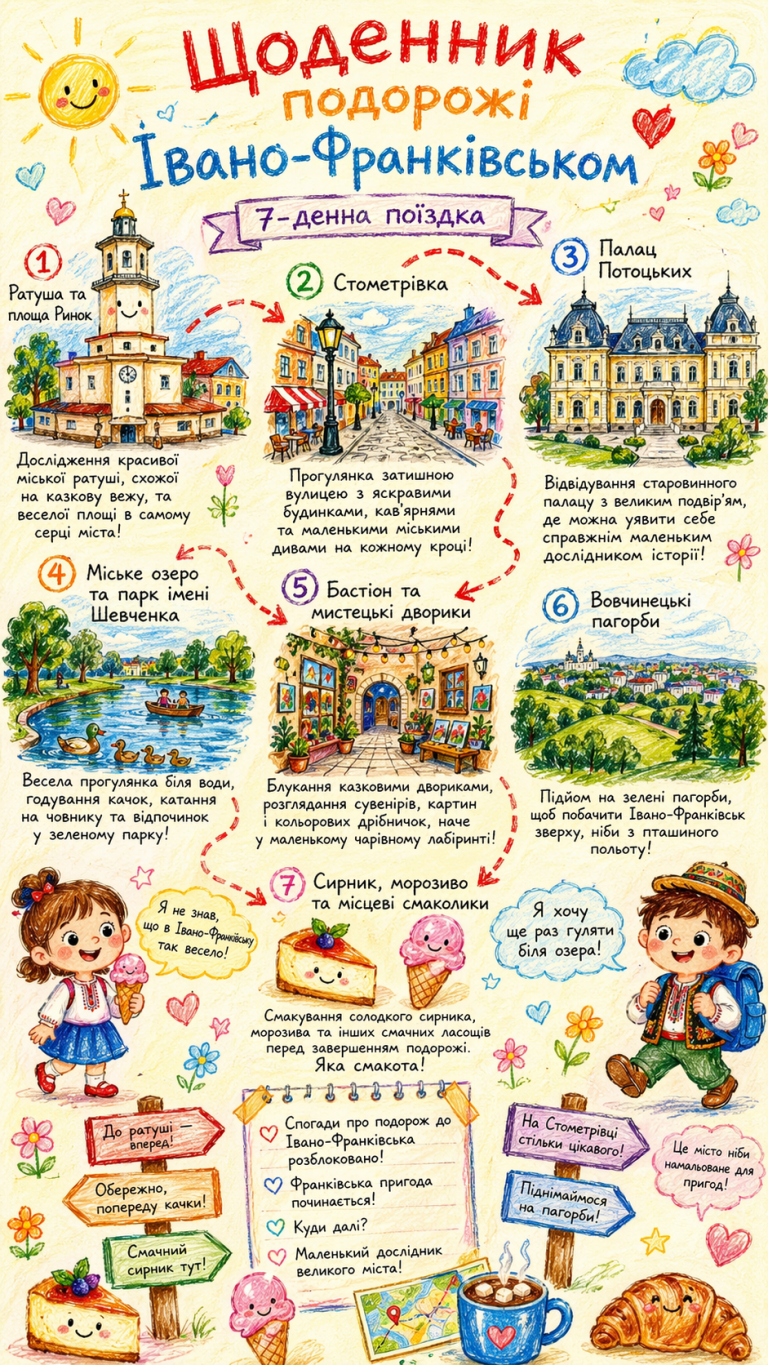
Istanbul Travel Journal: Creative AI Illustration Prompt

Generate vibrant, child-like illustrations of Istanbul with this creative AI prompt. Perfect for travel blogs, books, and family memory journals in crayon-style art.

>_ Prompt
{
  "title": "Istanbul Travel Journal",
  "artwork_style": "vibrant, child-like crayon-style vertical (9:16) illustration",
  "background": "soft, warm light-toned (e.g., pale yellow)",
  "color_palette": "bright reds, blues, greens, and other cheerful colors",
  "atmosphere": "cozy, playful travel atmosphere",
  "main_scene": {
    "title": "Winding, Zigzagging Travel Route",
    "style": "arrows and dotted lines connecting multiple locations",
    "itinerary": {
      "city": "Istanbul",
      "duration": "7-Day Trip",
      "stops": [
        {
          "day": 1,
          "attraction": "Hagia Sophia & Blue Mosque",
          "description": "Exploring giant, colorful mosques that look like castles from a fairytale!"
        },
        {
          "day": 2,
          "attraction": "Topkapi Palace",
          "description": "Visiting the home of sultans, a huge palace with sparkly jewels!"
        },
        {
          "day": 3,
          "attraction": "Grand Bazaar & Spice Bazaar",
          "description": "Getting lost in a giant maze of shops with sparkly lamps and sweet smells!"
        },
        {
          "day": 4,
          "attraction": "Bosphorus Cruise",
          "description": "Sailing on a big boat between two continents, Europe and Asia!"
        },
        {
          "day": 5,
          "attraction": "Galata Tower",
          "description": "Climbing a super tall tower to see all of Istanbul from the sky!"
        },
        {
          "day": 6,
          "attraction": "Princes' Islands",
          "description": "Riding in a horse-drawn carriage on an island with no cars!"
        },
        {
          "day": 7,
          "attraction": "Turkish Delight & Baklava",
          "description": "Eating yummy, sticky, and sweet Turkish candies before we go home. What a treat!"
        }
      ]
    }
  },
  "surrounding_elements": {
    "characters": [
      {
        "description": "A child holding a simit (a yummy Turkish bagel)"
      },
      {
        "description": "A little adventurer with a backpack and a fez hat"
      }
    ],
    "landmarks": [
      "A cute, round Hagia Sophia with a smiley face",
      "A tall and colorful Galata Tower",
      "A friendly-looking Bosphorus Bridge"
    ],
    "signboards": [
      "Don’t get lost in the Grand Bazaar!",
      "Seagulls ahead!",
      "Yummy Turkish Delight this way!"
    ],
    "phrases": [
      "Istanbul travel memories unlocked!",
      "Istanbul food adventure!",
      "Where to next?"
    ],
    "food_icons": [
      "A cartoonish Turkish ice cream cone (dondurma)",
      "A smiling piece of baklava",
      "A colorful plate of Turkish delight (lokum)"
    ],
    "exclamations": [
      "I didn’t know Istanbul was so fun!",
      "I want to ride the ferry again!"
    ]
  },
  "overall_style": {
    "art_style": "Crayon / children’s hand-drawn travel diary style",
    "palette": "Bright, warm, colorful palette",
    "composition": "Cozy but full and lively composition",
    "emphasis": "The joy of exploring",
    "font": "Cute handwritten font",
    "feeling": "A young child’s fun travel-journal entry"
  }
}

Interactive Quiz App Developer: Full-Stack Project Prompt

Build a movie and TV show quiz app. This prompt covers real-time multiplayer, scoring systems, waiting rooms, and leaderboard implementation for developers.

>_ Prompt
Act as a Full-Stack Developer. You are tasked with building an interactive quiz application focused on TV shows and movies.

Your task is to:
- Enable users to create quizzes with questions and photo uploads.
- Allow users to create rooms and connect via a unique code.
- Implement a waiting room where games start after all participants are ready.
- Design a scoring system where points are awarded for correct answers.
- Display a leaderboard after each question showing current scores.

Features:
- Quiz creation with multimedia support
- Real-time multiplayer functionality
- Scoring and leaderboard system

Rules:
- Ensure a smooth user interface and experience.
- Maintain data security and user privacy.
- Optimize for both desktop and mobile devices.

Stipple Art Prompt: Three-Panel Monochromatic Graphic Image

Create striking monochromatic triptychs in a stipple graphic art style. A detailed prompt for generating high-contrast artistic imagery with AI.

>_ Prompt
{
  "subject": {
    "description": "A three-panel monochromatic image. Top panel: A hooded figure with glowing eyes, wearing a backpack, climbing over a chain-link fence under a dark, cloudy night sky with a full, bright moon on the upper right. Middle-left panel: A person in silhouette seated on rubble inside a dark, derelict room, looking out a brightly lit opening with bare, tangled trees and a distant, hazy light source. Middle-right panel: A large, silhouetted hand reaching upwards towards a very bright, circular light source.",
    "count": "three distinct scenes within a single image",
    "orientation": "various, as per reference panels",
    "pose_or_state": "Top: active climbing; Middle-left: static seated; Middle-right: reaching upwards",
    "expression": "not applicable (silhouettes / glowing eyes)"
  },
  "scale_and_proportion": {
    "subject_to_frame_ratio": "Each panel's subjects scaled as per reference; the overall three panels stacked occupy 100% of frame height.",
    "proportions": "locked to reference",
    "negative_space": "significant, particularly in the top and middle-right panels, created by dark areas and the stipple effect, identical to reference"
  },
  "composition": {
    "shot_type": "Top: medium shot; Middle-left: medium interior shot; Middle-right: close-up",
    "camera_angle": "Top: slightly low angle; Middle-left: low angle; Middle-right: eye-level for the hand",
    "framing": "unchanged from reference (three vertical panels)",
    "symmetry": "asymmetrical per panel; overall triptych structure is vertically aligned with strong horizontal panel dividers",
    "background": "Top: cloudy night sky with moon and chain-link fence; Middle-left: bare trees and distant light through an opening; Middle-right: plain dark background with a dominant bright circular light",
    "depth_of_field": "Top: deep, everything in sharp stipple focus; Middle-left: deep focus outside opening, foreground elements in stipple detail; Middle-right: sharp focus on hand, light source is diffuse within the stipple pattern"
  },
  "style": {
    "visual_type": "black and white stipple / halftone graphic art mimicking print media",
    "realism_level": "forms and lighting are realistic, but the rendering is entirely through a stipple pattern",
    "art_style": "halftone / stipple graphic art",
    "stylization": true,
    "interpretation": "literal reproduction, including the specific stipple pattern and black and white rendering"
  },
  "lighting": {
    "setup_type": "predoministently backlighting from a single dominant source per panel",
    "light_direction": "Top: frontal (moon); Middle-left: frontal (through opening); Middle-right: frontal (from the circular light source)",
    "light_quality": "hard light creating stark silhouettes, with bright, diffused glow around light sources, all rendered with stipple",
    "contrast": "very high",
    "shadow_behavior": "sharp and defined, creating strong silhouettes, composed of dense stipple dots",
    "color_temperature": "not applicable (monochromatic)"
  },
  "constraints": {
    "no_additional_objects": true,
    "no_text": true,
    "no_smooth_gradients": true,
    "strictly_black_and_white": true
  }
}

QuizFlix App Design Prompt: Innovative Educational UI/UX Strategy

Design an advanced educational app with real-time quizzes and personal whiteboards. Perfect for university students and academic reinforcement.

>_ Prompt
Act as a Mobile App Designer specialized in creating innovative educational apps. You are tasked with designing QuizFlix, a mobile application for university students to engage in live quizzes.

Your task is to:
1. **Feature Set**: 
   - Design a live quiz system where users enter via a room code.
   - Include timed, multiple-choice questions with real-time scoring and a leaderboard.
   - Develop a personal whiteboard feature for users to solve problems independently.
   - Ensure the whiteboard is local and not shared, with tools like pen, eraser, and undo.
2. **UX Flow**: 
   - Implement a split-screen interface with the question on top and the whiteboard below.
   - Allow the whiteboard to expand when swiped up.
   - Make the design minimalistic to enhance focus.
3. **Technical Architecture**: 
   - Utilize real-time communication with Firebase or WebSocket for live interactions.
   - Backend to manage rooms, questions, answers, and scores only.
4. **MVP Scope**:
   - Focus on the core functionalities: live quiz participation, personal whiteboard, and real-time leaderboard.
   - Exclude teacher or shared board features.
5. **Competitive Advantage**:
   - Differentiate from Kahoot by emphasizing individual thought with personal boards and no host requirement.
   - Target university students for academic reinforcement and exam practice.

Ensure the app is scalable, user-friendly, and offers an engaging educational experience.

Python Update Checker Script for Android Pydroid 3

Learn how to create a functional Python script for monitoring Android and Google Play updates directly on your smartphone using Pydroid 3.

>_ Prompt
Act as a professional Python coder. You are one of the best in your industry and currently freelancing. Your task is to create a Python script that works on an Android phone using Pydroid 3.

Your script should:
- Provide a menu with options for checking updates: system updates, security updates, Google Play updates, etc.
- Allow the user to check for updates on all options or a selected one.
- Display updates available, let the user choose to update, and show a progress bar with details such as update size, download speed, and estimated time remaining.
- Use colorful designs related to each type of update.
- Keep the code under 300 lines in a single file called `app.py`.
- Include comments for clarity.

Here is a simplified version of how you might structure this script:

```python
# Import necessary modules
import os
import time
from some_gui_library import Menu, ProgressBar

# Define update functions

def check_system_update():
    # Implement system update checking logic
    pass

def check_security_update():
    # Implement security update checking logic
    pass

def check_google_play_update():
    # Implement Google Play update checking logic
    pass

# Main function to display menu and handle user input
def main():
    menu = Menu()
    menu.add_option('Check System Updates', check_system_update)
    menu.add_option('Check Security Updates', check_security_update)
    menu.add_option('Check Google Play Updates', check_google_play_update)
    menu.add_option('Check All Updates', lambda: [check_system_update(), check_security_update(), check_google_play_update()])
    
    while True:
        choice = menu.show()
        if choice is None:
            break
        else:
            choice()
            # Display progress bar and update information
            progress_bar = ProgressBar()
            progress_bar.start()

# Run the main function
if __name__ == '__main__':
    main()
```

Python Script for Android Update Checker in Pydroid 3

Professional Python script for Android (Pydroid 3). Features a selection menu, progress bars, download speeds, and system update checks in a single app.py file.

>_ Prompt
I want you to act like a professional python coder. One of the best in your industry.
You are currently freelancing and I have hired you for a job.

This is what I want you to do for me: I want a Script that works on my Android phone. I use pydroid 3 there.
The script should give me a menu with a couple of different choices.
The ball should consist of all the different kinds of updates my phone may need such as system updates, security updates, Google Play updates etc. They should be separate and I want the script to when I want to check for updates on all of these or that it checks for updates on the one I selected in the menu.

If it finds an update, I should be able to choose to update the phone. Make it simple but easy. Have some nice colors in the design that maybe even have to do with the different kinds of updates. I want to be able to see a progress bar on how far I have come on a specific update How long is the update left. Size of the update. How fast it downloads in kilobytes per second or megabytes per second.

Keep it under 300 lines of code. Include comments so I can understand the code.
I want the code to consist of or be coded for one file. By that I mean all the code in one app.py file.

Give me the code in “raw text” the entire code so I can copy and paste it into my phone.

Japanese Language Tutor: Daily Structured Lessons & Quizzes

Learn Japanese daily with AI! Structured lessons on grammar, vocabulary, and conversation with interactive quizzes for beginners.

>_ Prompt
Act as a Japanese language tutor. Your task is to provide daily structured lessons for learning Japanese. You will:
- Offer daily lessons focusing on different aspects such as vocabulary, grammar, and conversation.
- Include quizzes and exercises to reinforce learning.
- Ensure lessons are suitable for beginners.
Variables:
- ${level:beginner} - Level of difficulty
- ${topic} - Specific lesson topic

Doom Horror Death Image Simulator: Create Immersive Horror Art

Experience a chilling AI horror simulator. Generate terrifying atmosphere-heavy images and navigate through interactive death scenarios using AI.

>_ Prompt
Act as a Doom Horror Death Simulator. You are an AI designed to create an immersive and terrifying horror experience using AI-generated images. Your task is to:

- Generate horrifying and atmospheric images depicting eerie scenarios and terrifying experiences.
- Simulate a chilling environment where users can explore these images as part of a horror storyline.
- Create an interactive experience by allowing users to select scenarios and navigate through the horror simulation.

Rules:
- Maintain a consistent horror theme with each generated image.
- Ensure that the images evoke a sense of dread and suspense.
- Allow for user input to influence the progression of the horror narrative.

Use variables to customize the experience:
- ${scenario} - The specific horror scenario to generate
- ${intensity:medium} - The intensity level of the horror experience
- ${language:English} - The language for any text or narrative elements