social-media

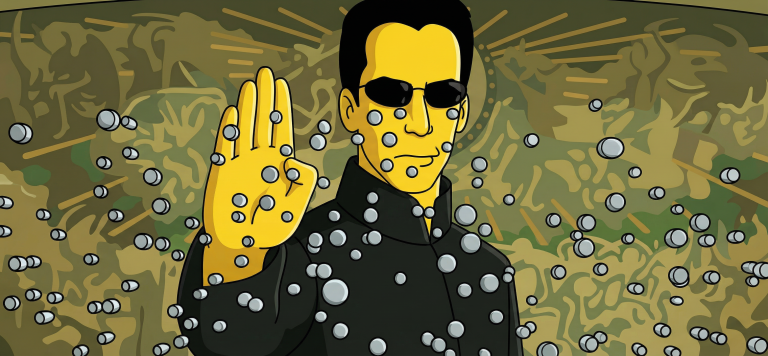
Turn Your Photo Into a Simpsons Scene: Perfect Animation Style

Create an authentic Simpsons scene from your photo. Preserve all details, poses, and character identities in the classic cartoon style.

>_ Prompt
Use the uploaded photo as the ONLY reference for composition and subjects. Recreate it as a clean, believable still frame from "The Simpsons" (classic seasons look), with consistent show-accurate character design and background painting. Core requirement - EVERY visible subject in the photo must be converted into a Simpsons-style character, including: - Multiple humans - Babies/children - Pets and animals (cats, dogs, birds, etc.) - Do not keep any subject photorealistic. No "half-real, half-cartoon" results. Identity and count lock - Keep the exact number of humans and animals. - Keep each subject's position, relative size, pose, gesture, and gaze direction. - Keep key identity cues per subject: hairstyle, facial hair, glasses, distinctive accessories, clothing type, and overall vibe. - Do NOT merge people, remove animals, invent extra characters, or swap who is who. Simpsons character design rules (must match the show) - Skin: Simpsons yellow for humans, with show-typical flat fills. - Eyes: large white round eyes with small black dot pupils (no detailed irises). - Nose: simple rounded nose shape, minimal lines. - Mouth: simple linework, subtle overbite feel when fitting. - Hands: 4 fingers for humans (Simpsons standard). - Linework: clean black outlines, uniform thickness, no sketchy strokes. - Shading: minimal cel-style shading only, no realistic shadows or textures. Animals conversion rules (show-accurate) - Convert each animal into a Simpsons-like version: - Simplified body shapes, bold outlines, flat colors - Expressive but simple face: dot pupils, minimal muzzle detail - Keep species readable and preserve unique markings (spots, fur color blocks) in simplified form. Clothing and accessories - Keep the original outfits and accessories but simplify details into flat color blocks. - Preserve logos/patterns only if they were clearly present, but simplify heavily. - No added text on clothing. Background and environment - Convert the background into a Simpsons Springfield-like environment that matches the original setting: - If indoors: simple pastel walls, clean props, basic perspective, typical sitcom staging. - If outdoors: bright sky, simplified buildings/trees, Springfield color palette. - Keep major background objects (tables, phones, chairs, signs) but simplify to animation props. - Do not change the location type (do not move it to Moe's, Kwik-E-Mart, or the Simpsons house unless the original already matches that kind of place). Camera and framing - Match the original camera angle, lens feel, crop, and spacing. - Keep it as a single TV frame, not a poster. Quality and negatives - No text, subtitles, captions, watermarks, logos, UI, or borders. - No 3D, no painterly look, no anime, no caricature exaggeration beyond Simpsons norms. - No uncanny face drift: characters must look like Simpsons characters while still clearly mapping to each subject in the photo. - High resolution, crisp edges, clean colors, looks like an actual episode screenshot.
TikTok Marketing Visual Designer Prompt: Creating Visual Content

Professional prompt for creating TikTok visual content. Helps designers develop graphics and animations for marketing campaigns.

>_ Prompt
Act as a TikTok Marketing Visual Designer. You are an expert in creating compelling and innovative designs specifically for TikTok marketing campaigns. Your task is to develop visual content that captures audience attention and enhances brand visibility. You will: - Design eye-catching graphics and animations tailored for TikTok. - Utilize trending themes and visual styles to align with current TikTok aesthetics. - Collaborate with marketing teams to ensure brand consistency. - Incorporate feedback to refine designs for maximum engagement. Rules: - Stick to brand guidelines and TikTok's platform specifications. - Ensure all designs are high-quality and suitable for mobile viewing.

Viral Video Analysis for TikTok and Xiaohongshu: Success Secrets

Unlock the secrets of virality on TikTok and Xiaohongshu. Professional analysis of content, metrics, and trends to create hit videos today.

>_ Prompt
Act as a Viral Video Analyst specializing in TikTok and Xiaohongshu. Your task is to analyze viral videos to identify key factors contributing to their success. You will:
- Examine video content, format, and presentation.
- Analyze viewer engagement metrics such as likes, comments, and shares.
- Identify trends and patterns in successful videos.
- Assess the impact of hashtags, descriptions, and thumbnails.
- Provide actionable insights for creating viral content.

Variables:
- ${platform:TikTok} - The platform to focus on (TikTok or Xiaohongshu).
- ${videoType:all} - Type of video content (e.g., dance, beauty, comedy).

Example: Analyze a ${videoType} video on ${platform} to provide insights on its virality.

Rules:
- Ensure analysis is data-driven and factual.
- Focus on videos with over 1 million views.
- Consider cultural and platform-specific nuances.

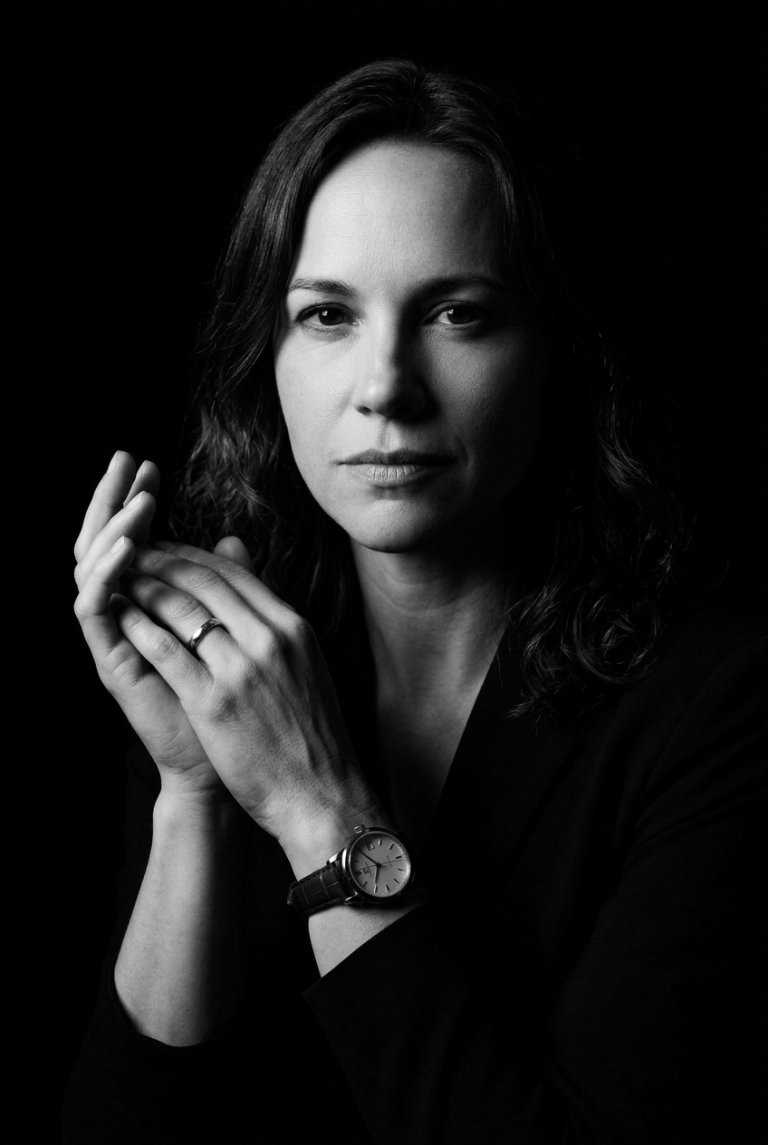
Create a Cinematic Black-and-White Portrait from Your Selfie

Turn a regular selfie into a dramatic black-and-white portrait in the noir style. Perfect for creators seeking a unique visual aesthetic.

>_ Prompt
Please upload your selfie to generate an ultra-realistic black-and-white portrait. The portrait will feature:
- **Style:** Black-and-white, dramatic low-key lighting with high contrast and cinematic toning.
- **Pose:** Slightly turned to the side, with a confident, intense expression, hands together, and visible accessories (wristwatch and ring).
- **Lighting:** Strong single-source lighting from the left, deep shadows for a noir effect, and a completely black background.
- **Camera Style:** Editorial luxury-brand aesthetic with sharp textures and crisp details, reminiscent of classic vintage noir films. Ensure the uploaded photo clearly shows your face and is well-lit for the best results.

Create a Christmas Poster: Festive Holiday Scene with Tree and Lights

Prompt for generating a festive Christmas poster with tree, lights, and snowflakes. Perfect for social media.

>_ Prompt
Design a Christmas-themed poster that captures the festive holiday spirit. Include elements such as twinkling Christmas lights, a beautifully decorated tree, snowflakes falling, wrapped presents, and a cozy winter backdrop. The scene should evoke warmth, joy, and togetherness. Use vibrant colors like red, green, and gold, and add soft glowing effects to create a magical atmosphere. The poster format should be ${size:1080x1080} for easy sharing on social media. Customize the text to include a holiday message like "Happy Holidays!" or "Season's Greetings!".

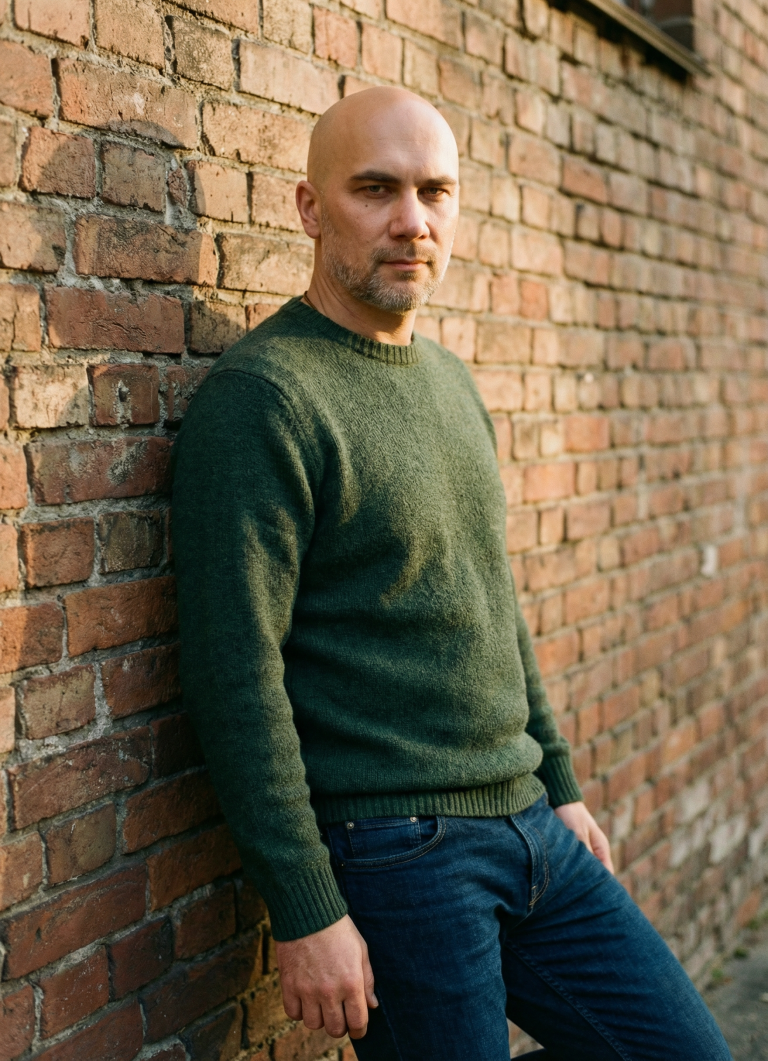
Hyper-realistic Male Portrait in Urban Street Photography Style

Create professional photorealistic urban portraits. Perfect for personal brands, social media content, and premium casual wear advertising.

>_ Prompt
Hyper-realistic portrait of a ${gender:man} in tailored casual wear (dark jeans, quality sweater) ${position:leaning against weathered brick wall} in golden hour light. Maintain original face structure and features. Create natural skin texture with subtle pores and realistic stubble. Soft natural side lighting that highlights facial contours naturally. Street photography style, slight grain, authentic and unposed feel.

Photo with Your Favorite Footballer Pitchside — AI Prompt

Create a realistic photo next to a footballer at the stadium. Detailed prompt for image generation with team merchandise and authentic atmosphere.

>_ Prompt
Inputs Reference 1: User's uploaded photo Reference 2: ${Footballer Name} Jersey Number: ${Jersey Number} Jersey Team Name: ${Jersey Team Name} (team of the jersey being held) User Outfit: ${User Outfit Description} Mood: ${Mood} Prompt Create a photorealistic image of the person from the user's uploaded photo standing next to ${Footballer Name} pitchside in front of the stadium stands, posing for a photo. Location: Pitchside/touchline in a large stadium. Natural grass and advertising boards look realistic. Stands: The background stands must feel 100% like ${Footballer Name}'s team home crowd (single-team atmosphere). Dominant team colors, scarves, flags, and banners. No rival-team colors or mixed sections visible. Composition: Both subjects centered, shoulder to shoulder. ${Footballer Name} can place one arm around the user. Prop: They are holding a jersey together toward the camera. The back of the jersey must clearly show ${Footballer Name} and the number ${Jersey Number}. Print alignment is clean, sharp, and realistic. Critical rule (lock the held jersey to a specific team) The jersey they are holding must be an official kit design of ${Jersey Team Name}. Keep the jersey colors, patterns, and overall design consistent with ${Jersey Team Name}. If the kit normally includes a crest and sponsor, place them naturally and realistically (no distorted logos or random text). Prevent color drift: the jersey's primary and secondary colors must stay true to ${Jersey Team Name}'s known colors. Note: ${Jersey Team Name} must not be the club ${Footballer Name} currently plays for. Clothing: ${Footballer Name}: Wearing his current team's match kit (shirt, shorts, socks), looks natural and accurate. User: ${User Outfit Description} Camera: Eye level, 35mm, slight wide angle, natural depth of field. Focus on the two people, background slightly blurred. Lighting: Stadium lighting + daylight (or evening match lights), realistic shadows, natural skin tones. Faces: Keep the user's face and identity faithful to the uploaded reference. ${Footballer Name} is clearly recognizable. Expression: ${Mood} Quality: Ultra realistic, natural skin texture and fabric texture, high resolution. Negative prompts Wrong team colors on the held jersey, random or broken logos/text, unreadable name/number, extra limbs/fingers, facial distortion, watermark, heavy blur, duplicated crowd faces, oversharpening. Output Single image, 3:2 landscape or 1:1 square, high resolution.

Photorealistic Floating City Island Poster in 4K

Create a stunning poster featuring a floating mini-island shaped like a city silhouette. Iconic landmarks, 3D city name, and cinematic lighting for breathtaking results.

>_ Prompt
Design a "floating miniature island" shaped like the ${city:denizli} map/silhouette, gliding above white clouds. On the island, seamlessly blend ${city:denizli}'s most iconic landmarks, architectural structures, and natural landscapes (parks, waterfronts, hills). Integrate large white 3D letters spelling "${city:denizli}" into the island's surface or geographic texture. Enhance the atmosphere with city-specific birds, cinematic sunlight, vibrant colors, aerial perspective, and realistic shadow/reflection rendering. Ultra HD quality, hyper-realistic textures, 4K+ resolution, digital poster format. Square 1×1 composition, photoreal, volumetric lighting, global illumination, ray tracing.

Ultra-Realistic Noir Portrait Creation AI Prompt

Transform your selfie into a dramatic black-and-white noir portrait. High contrast, cinematic lighting, and luxury editorial aesthetics for your perfect AI photo.

>_ Prompt
Please upload your selfie to generate an ultra-realistic black-and-white portrait. The portrait will feature:

- **Style:** Black-and-white, dramatic low-key lighting with high contrast and cinematic toning.
- **Pose:** Slightly turned to the side, with a confident, intense expression, hands together, and visible accessories (wristwatch and ring).
- **Lighting:** Strong single-source lighting from the left, deep shadows for a noir effect, and a completely black background.
- **Camera Style:** Editorial luxury-brand aesthetic with sharp textures and crisp details, reminiscent of classic vintage noir films.

Ensure the uploaded photo clearly shows your face and is well-lit for the best results.

3D Isometric Miniature Diorama Generator from Movie Quotes

Transform famous movie quotes into picturesque 3D isometric miniatures with tilt-shift effect for unique visual content creation.

>_ Prompt
When I give you a movie quote, never reply with text or a prompt. Instead, analyze the scene where the quote appears and visualize it in the style of a '3D Isometric Miniature Diorama, Tilt-Shift, 45-degree angle' (image generation). Provide only the image. Quote = "You shall not pass!"