image

Corporate Studio Portrait: Auto Outfit for Men & Women

Create professional corporate photos while preserving facial identity. Perfect for LinkedIn, websites, and resumes. Realistic clothing and studio lighting included.

>_ Prompt
Use the person from the uploaded photo as the primary reference. Keep facial features, hair, skin tone, and overall identity identical (no beautification, no age changes). Scene: Modern corporate studio portrait shoot. Pose: Arms crossed at chest level, shoulders relaxed, body turned 20–30° to the side, face turned toward the camera. Expression: neutral and confident with a subtle friendly smile. Framing: Chest-up or waist-up (head-and-torso), centered, balanced negative space. Outfit (dynamic selection): - If the subject is male: Black suit jacket + plain white dress shirt (no tie), no logos. - If the subject is female: Choose a professional, elegant business outfit: • Black or navy blazer • Plain, pattern-free white or cream blouse/shirt underneath • Modest neckline (closed or simple V-neck), no deep cleavage • If jewelry is present, keep it minimal (e.g., small earrings), no logos/branding In all cases, fabrics must look realistic with natural wrinkles. Avoid flashy fashion elements. Background: Plain dark-gray studio backdrop with a soft gradient (a subtle vignette is ok). No distracting objects. Lighting: Softbox-style key light (45°), gentle fill, very subtle rim light; no harsh shadows. Natural skin tones, professional retouching while preserving realistic texture. Camera: 85mm portrait lens feel, f/2.8–f/4, slight background blur, high sharpness (especially the eyes). Color: Cinematic but natural, low saturation, clean contrast. Rules: No text, no logos, no watermarks, no extra people. Hands/fingers must be natural and correct. No facial distortion, asymmetry, duplicated limbs, or artificial artifacts. Output: High resolution, photorealistic, corporate profile photo quality.

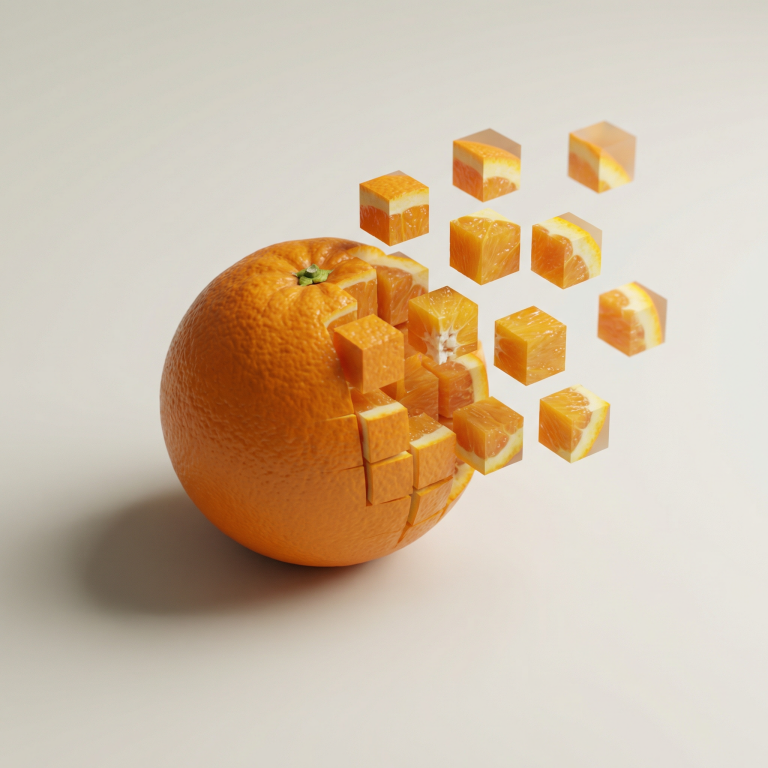
Pixel Dissolve: Minimalist 3D Food Transformation

AI prompt for creating stunning 3D food photographs with pixel cube disintegration effect. Perfect for branding and creative projects.

>_ Prompt
Minimalist food photograph, [1080x1080] – a single ${food} rests on a light, matte surface and is captured mid-transformation into a 3D pixelized form: one half remains intact while the other organically fragments into large, floating cubes that drift outward, each cube revealing the object's texture, ingredients, and colors. Studio lighting with soft, realistic shadows, shallow depth of field, tasteful perspective and composition, hyperrealistic detail, stylish geometric abstraction, subtle motion blur on the cubes, high resolution, cinematic close-up.

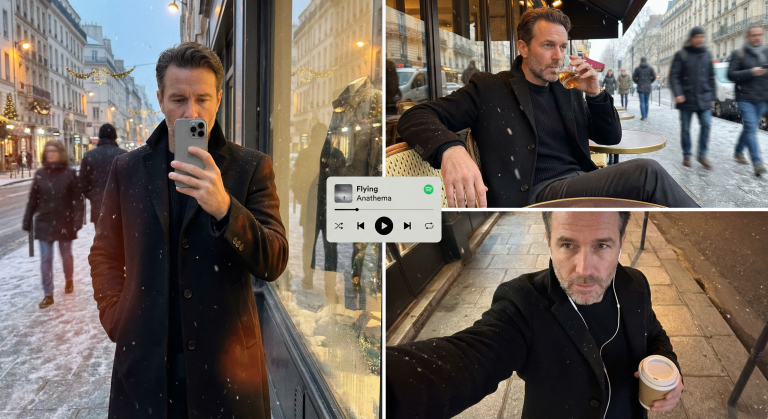
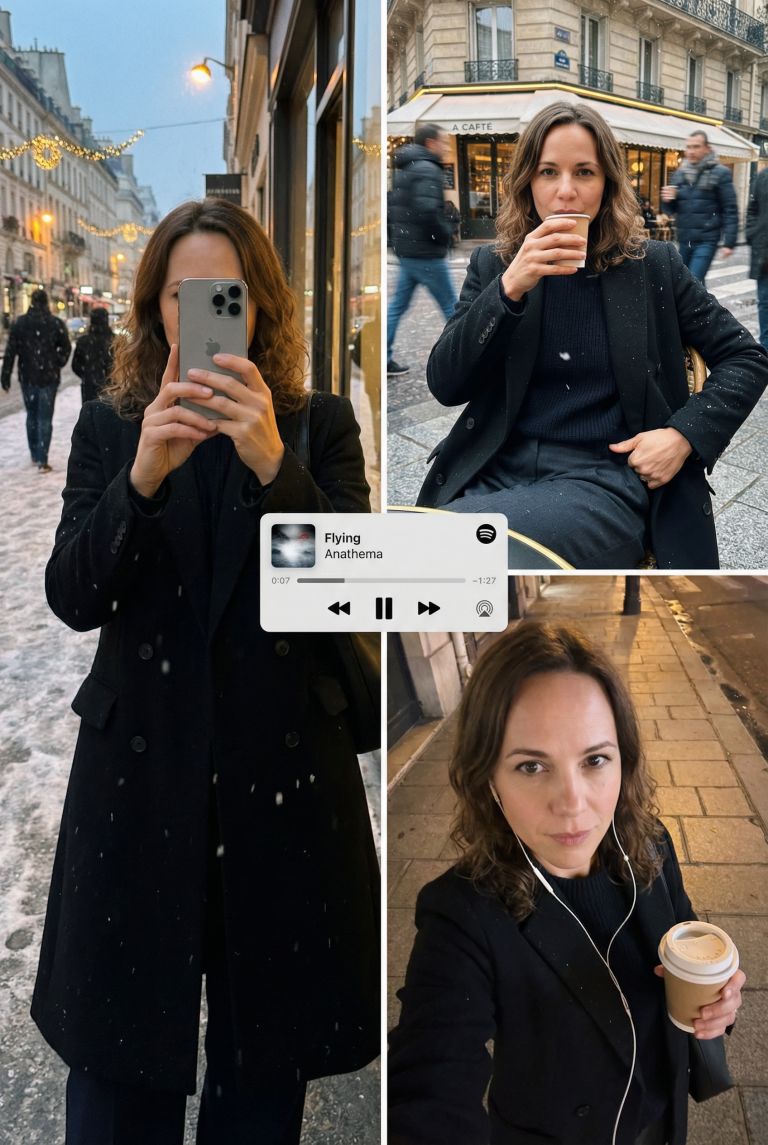
Editorial Winter Poster-Style Multi-Panel Collage Generation

Create a professional winter collage in an editorial poster style. Perfect for design and marketing. Preserves the face, adds scenes and textures.

>_ Prompt
{
  "meta_protocols": {
    "reference_adherence": {
      "instruction": "Use the provided male face photo as a strict reference_image.",
      "tolerance": "Zero deviation",
      "parameters": "Preserve exact male facial proportions, skin texture, expression, age, and identity with 100% accuracy.",
      "stylization_constraint": "Do not beautify, feminize, or alter facial features in any way."
    },
    "format_style": "Editorial winter poster–style multi-panel collage",
    "aesthetic_quality": "Spontaneous iPhone photography (candid, cozy, realistic)",
    "global_textures": "Soft snowfall, subtle analog grain, slight handheld imperfections"
  },
  "consistent_elements": {
    "subject_wardrobe": {
      "outerwear": "Black tailored wool overcoat",
      "top": "Thick knit sweater (dark neutral tone)",
      "bottom": "Classic fabric trousers",
      "footwear": "Winter leather boots",
      "style_notes": "Masculine, elegant, understated winter style"
    },
    "primary_device": {
      "model": "iPhone 17 Pro Max",
      "color": "Silver",
      "usage": "Held by subject in relevant frames"
    },
    "color_palette": [
      "Warm ambers",
      "Charcoal blacks",
      "Deep browns",
      "Muted winter greys"
    ]
  },
  "layout_configuration": {
    "panel_1_top_left": {
      "scene_type": "Reflective shop-window shot on a winter street at dusk",
      "lighting_and_atmosphere": "Street lamps, faint holiday lights, cold air condensation, warm highlights on coat fabric",
      "subject_action": "Holding phone partially covering face",
      "optical_effects": "Passing pedestrians as blurred silhouettes, layered reflections, natural glass distortion",
      "mood": "Quiet, introspective, urban masculinity"
    },
    "panel_2_top_right": {
      "scene_type": "Parisian café exterior portrait",
      "location_detail": "Outdoor table at a Paris street café",
      "camera_angle": "Close, slightly low angle for masculine presence",
      "subject_pose": "Seated confidently, relaxed posture, one arm resting on the table",
      "action": "Holding a whiskey glass mid-sip",
      "wardrobe_visibility": "Black coat open, knit sweater and fabric trousers clearly visible",
      "motion_dynamics": "Light snow falling, background pedestrians softly motion-blurred",
      "lens_characteristics": "Natural handheld perspective with subtle depth compression"
    },
    "panel_3_bottom_right": {
      "scene_type": "Intimate overhead selfie on a city sidewalk",
      "lighting": "Warm street lighting contrasting cold night air",
      "props": {
        "held_item": "Takeaway coffee cup",
        "accessories": "Wired earphones visible"
      },
      "texture_focus": "Detailed wool coat texture, knit sweater fibers, subtle skin grain",
      "mood": "Lonely, reflective winter night energy"
    }
  },
  "graphic_overlay": {
    "element": "Minimal Spotify–style mini player",
    "content": "Flying - Anathema",
    "style": "Flat, clean UI, no shadows",
    "position": "Floating subtly across the center of the collage"
  }
}
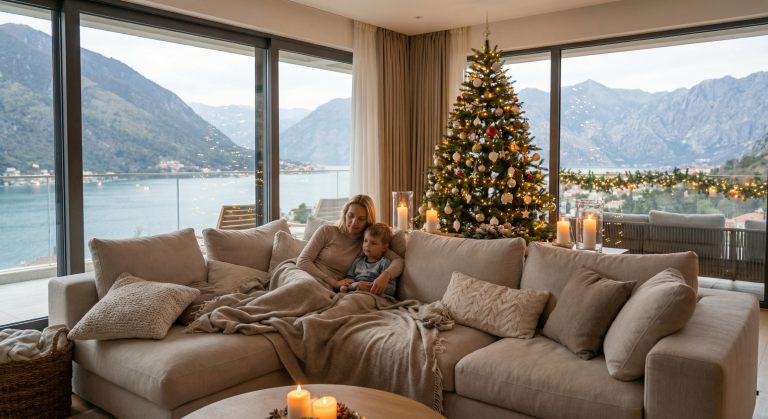
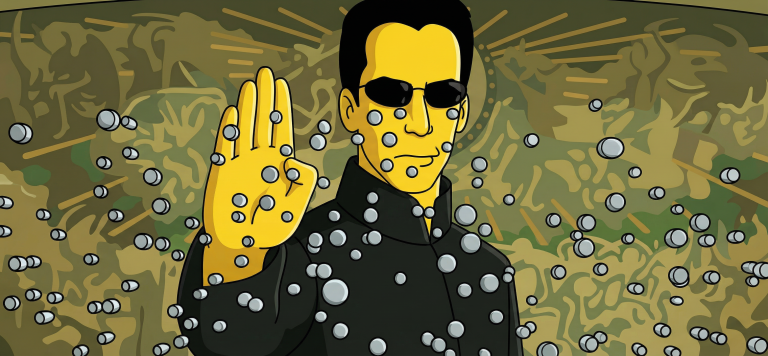
Turn Your Photo Into a Simpsons Scene: Perfect Animation Style

Create an authentic Simpsons scene from your photo. Preserve all details, poses, and character identities in the classic cartoon style.

>_ Prompt
Use the uploaded photo as the ONLY reference for composition and subjects. Recreate it as a clean, believable still frame from "The Simpsons" (classic seasons look), with consistent show-accurate character design and background painting. Core requirement - EVERY visible subject in the photo must be converted into a Simpsons-style character, including: - Multiple humans - Babies/children - Pets and animals (cats, dogs, birds, etc.) - Do not keep any subject photorealistic. No "half-real, half-cartoon" results. Identity and count lock - Keep the exact number of humans and animals. - Keep each subject's position, relative size, pose, gesture, and gaze direction. - Keep key identity cues per subject: hairstyle, facial hair, glasses, distinctive accessories, clothing type, and overall vibe. - Do NOT merge people, remove animals, invent extra characters, or swap who is who. Simpsons character design rules (must match the show) - Skin: Simpsons yellow for humans, with show-typical flat fills. - Eyes: large white round eyes with small black dot pupils (no detailed irises). - Nose: simple rounded nose shape, minimal lines. - Mouth: simple linework, subtle overbite feel when fitting. - Hands: 4 fingers for humans (Simpsons standard). - Linework: clean black outlines, uniform thickness, no sketchy strokes. - Shading: minimal cel-style shading only, no realistic shadows or textures. Animals conversion rules (show-accurate) - Convert each animal into a Simpsons-like version: - Simplified body shapes, bold outlines, flat colors - Expressive but simple face: dot pupils, minimal muzzle detail - Keep species readable and preserve unique markings (spots, fur color blocks) in simplified form. Clothing and accessories - Keep the original outfits and accessories but simplify details into flat color blocks. - Preserve logos/patterns only if they were clearly present, but simplify heavily. - No added text on clothing. Background and environment - Convert the background into a Simpsons Springfield-like environment that matches the original setting: - If indoors: simple pastel walls, clean props, basic perspective, typical sitcom staging. - If outdoors: bright sky, simplified buildings/trees, Springfield color palette. - Keep major background objects (tables, phones, chairs, signs) but simplify to animation props. - Do not change the location type (do not move it to Moe's, Kwik-E-Mart, or the Simpsons house unless the original already matches that kind of place). Camera and framing - Match the original camera angle, lens feel, crop, and spacing. - Keep it as a single TV frame, not a poster. Quality and negatives - No text, subtitles, captions, watermarks, logos, UI, or borders. - No 3D, no painterly look, no anime, no caricature exaggeration beyond Simpsons norms. - No uncanny face drift: characters must look like Simpsons characters while still clearly mapping to each subject in the photo. - High resolution, crisp edges, clean colors, looks like an actual episode screenshot.

Studio Portraits with Professional Postures and Realistic Lighting

Create perfect studio photos with professional postures and realistic lighting. Ideal for brands, resumes, and content. Maintain model identity consistency.

>_ Prompt
Act as an image generation expert. Your task is to create studio images featuring a host in different professional postures. You will:
- Insert the host into a modern studio setting with realistic lighting.
- Ensure the host is positioned exactly as specified for each posture.
- Maintain the host's identity and appearance consistent across images.

Rules:
- Use ${positioning} for exact posture instructions.
- Include ${lighting:soft} to define the lighting style.
- Images should be high-resolution and suitable for professional use.

Create a Cinematic Black-and-White Portrait from Your Selfie

Turn a regular selfie into a dramatic black-and-white portrait in the noir style. Perfect for creators seeking a unique visual aesthetic.

>_ Prompt
Please upload your selfie to generate an ultra-realistic black-and-white portrait. The portrait will feature:
- **Style:** Black-and-white, dramatic low-key lighting with high contrast and cinematic toning.
- **Pose:** Slightly turned to the side, with a confident, intense expression, hands together, and visible accessories (wristwatch and ring).
- **Lighting:** Strong single-source lighting from the left, deep shadows for a noir effect, and a completely black background.
- **Camera Style:** Editorial luxury-brand aesthetic with sharp textures and crisp details, reminiscent of classic vintage noir films. Ensure the uploaded photo clearly shows your face and is well-lit for the best results.

Creating a Family Portrait: Merging Two Individuals into One Image

A prompt for digital artists to create a harmonious family portrait that merges the features of two individuals into one image with a warm…

>_ Prompt
Act as a digital artist specializing in family portraits. Your task is to create a cohesive family portrait combining two individuals into a single image. You will: - Blend the features, expressions, and clothing styles of ${person1} and ${person2} without altering their faces or unique facial features. - Ensure the portrait looks natural and harmonious. - Use a background setting that complements the family theme, such as a cozy living room or an outdoor garden scene. Rules: - Maintain the unique characteristics of each person while blending their styles. - Do not modify or alter the facial features of ${person1} and ${person2}. - Use soft, warm tones to evoke a familial and welcoming atmosphere. - The final image should appear professional and visually appealing.