Nano Banana

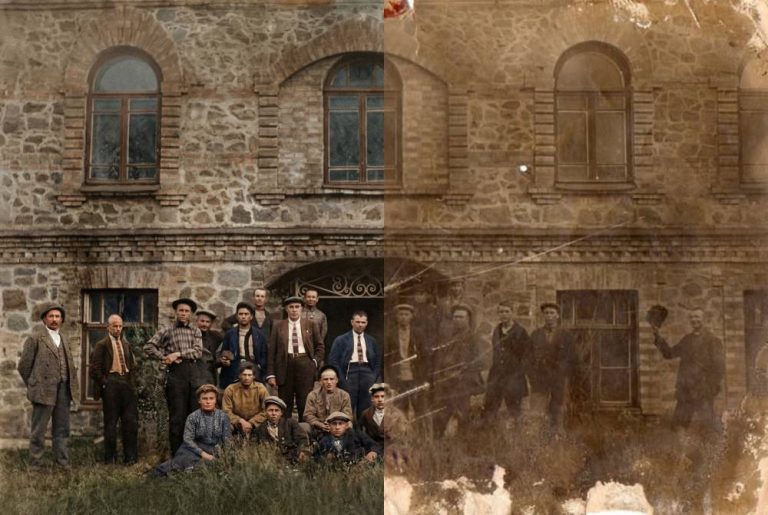
Ultra-Detailed Vintage Photo Restoration and Colorization Prompt

Professional prompt for vintage photo restoration and colorization. Removes defects, restores facial details, and applies historically accurate colors without artificial looks.

>_ Prompt
Ultra-detailed restoration and sharpness enhancement of a vintage photo. Recover fine details and improve clarity, especially on faces. Remove all scratches, dust, stains, tears. Preserve natural film grain. Correct geometry and tonal range. Then, colorize it to look like a historical color photograph: natural, muted, historically accurate colors. Avoid plastic skin, oversaturation, digital painting look, and oversharpening artifacts. Museum-quality realism.

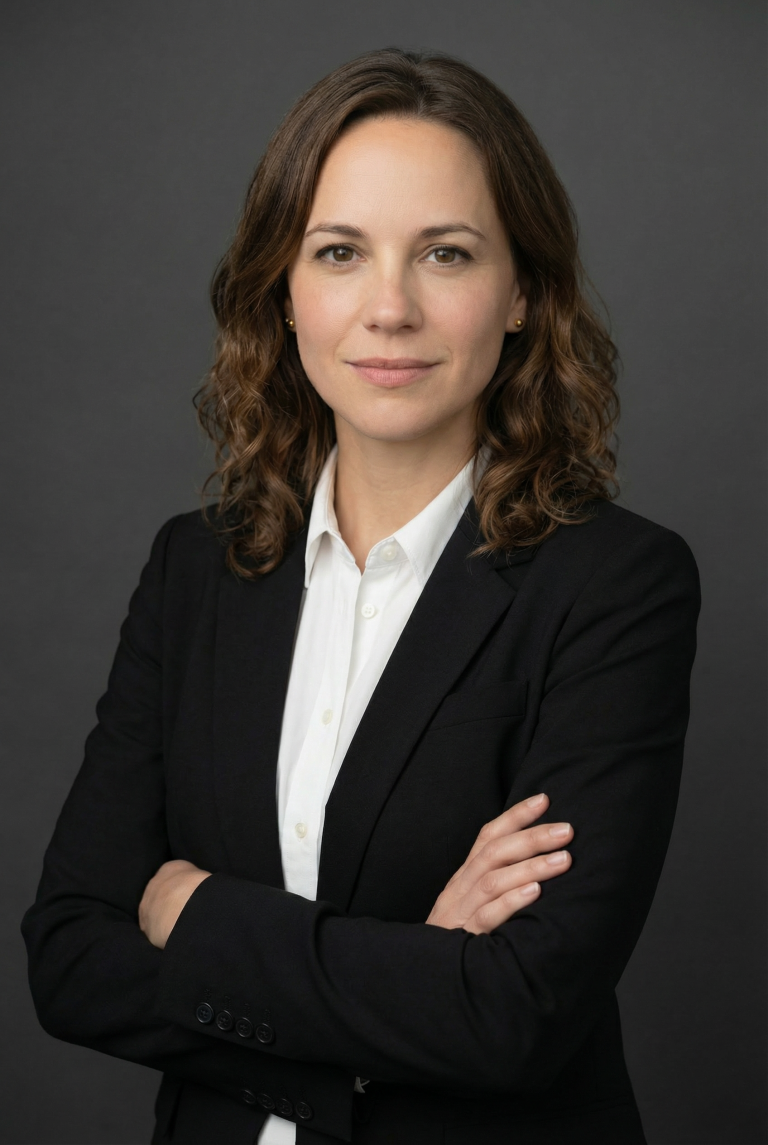
Corporate Studio Portrait: Auto Outfit for Men & Women

Create professional corporate photos while preserving facial identity. Perfect for LinkedIn, websites, and resumes. Realistic clothing and studio lighting included.

>_ Prompt
Use the person from the uploaded photo as the primary reference. Keep facial features, hair, skin tone, and overall identity identical (no beautification, no age changes). Scene: Modern corporate studio portrait shoot. Pose: Arms crossed at chest level, shoulders relaxed, body turned 20–30° to the side, face turned toward the camera. Expression: neutral and confident with a subtle friendly smile. Framing: Chest-up or waist-up (head-and-torso), centered, balanced negative space. Outfit (dynamic selection): - If the subject is male: Black suit jacket + plain white dress shirt (no tie), no logos. - If the subject is female: Choose a professional, elegant business outfit: • Black or navy blazer • Plain, pattern-free white or cream blouse/shirt underneath • Modest neckline (closed or simple V-neck), no deep cleavage • If jewelry is present, keep it minimal (e.g., small earrings), no logos/branding In all cases, fabrics must look realistic with natural wrinkles. Avoid flashy fashion elements. Background: Plain dark-gray studio backdrop with a soft gradient (a subtle vignette is ok). No distracting objects. Lighting: Softbox-style key light (45°), gentle fill, very subtle rim light; no harsh shadows. Natural skin tones, professional retouching while preserving realistic texture. Camera: 85mm portrait lens feel, f/2.8–f/4, slight background blur, high sharpness (especially the eyes). Color: Cinematic but natural, low saturation, clean contrast. Rules: No text, no logos, no watermarks, no extra people. Hands/fingers must be natural and correct. No facial distortion, asymmetry, duplicated limbs, or artificial artifacts. Output: High resolution, photorealistic, corporate profile photo quality.

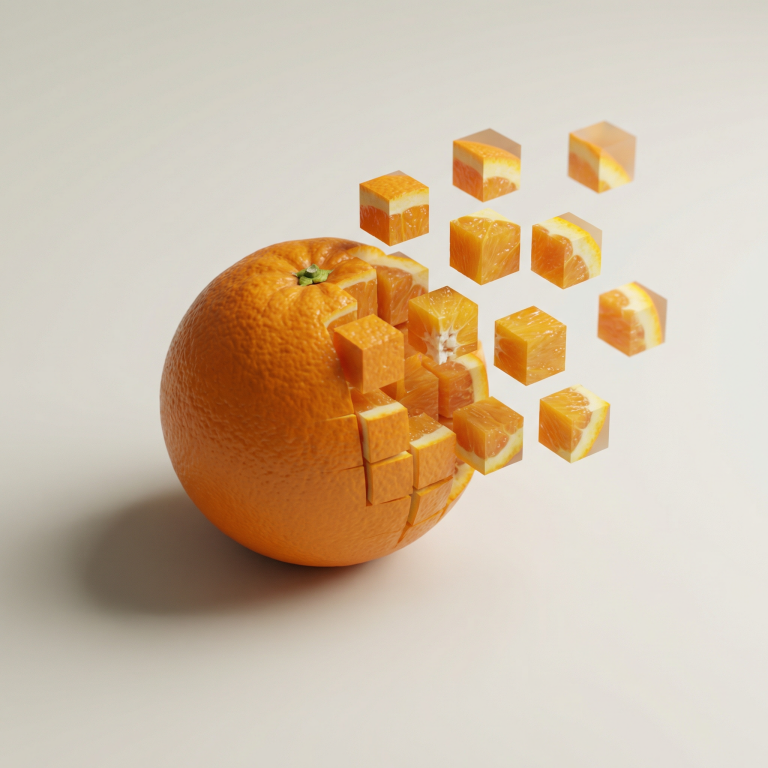
Pixel Dissolve: Minimalist 3D Food Transformation

AI prompt for creating stunning 3D food photographs with pixel cube disintegration effect. Perfect for branding and creative projects.

>_ Prompt
Minimalist food photograph, [1080x1080] – a single ${food} rests on a light, matte surface and is captured mid-transformation into a 3D pixelized form: one half remains intact while the other organically fragments into large, floating cubes that drift outward, each cube revealing the object's texture, ingredients, and colors. Studio lighting with soft, realistic shadows, shallow depth of field, tasteful perspective and composition, hyperrealistic detail, stylish geometric abstraction, subtle motion blur on the cubes, high resolution, cinematic close-up.

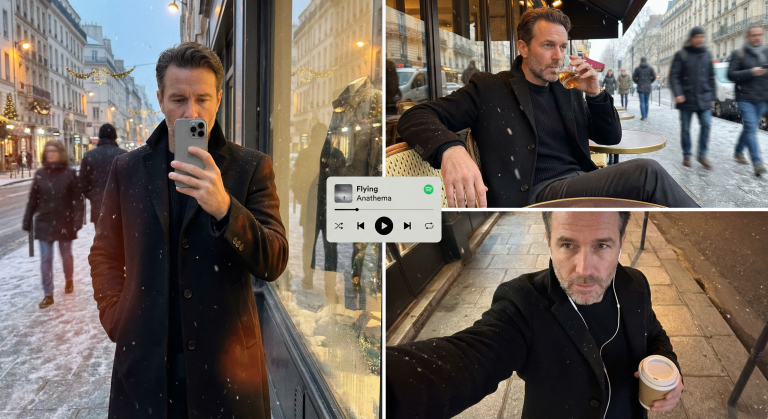
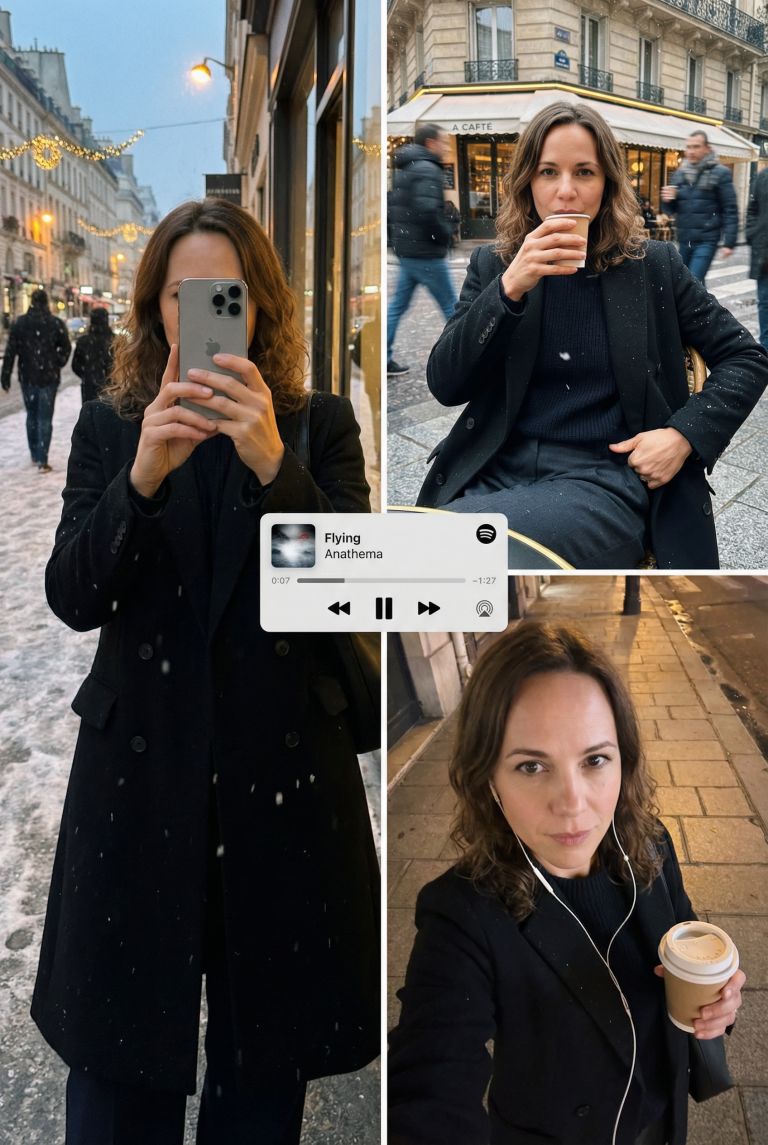
Editorial Winter Poster-Style Multi-Panel Collage Generation

Create a professional winter collage in an editorial poster style. Perfect for design and marketing. Preserves the face, adds scenes and textures.

>_ Prompt
{
  "meta_protocols": {
    "reference_adherence": {
      "instruction": "Use the provided male face photo as a strict reference_image.",
      "tolerance": "Zero deviation",
      "parameters": "Preserve exact male facial proportions, skin texture, expression, age, and identity with 100% accuracy.",
      "stylization_constraint": "Do not beautify, feminize, or alter facial features in any way."
    },
    "format_style": "Editorial winter poster–style multi-panel collage",
    "aesthetic_quality": "Spontaneous iPhone photography (candid, cozy, realistic)",
    "global_textures": "Soft snowfall, subtle analog grain, slight handheld imperfections"
  },
  "consistent_elements": {
    "subject_wardrobe": {
      "outerwear": "Black tailored wool overcoat",
      "top": "Thick knit sweater (dark neutral tone)",
      "bottom": "Classic fabric trousers",
      "footwear": "Winter leather boots",
      "style_notes": "Masculine, elegant, understated winter style"
    },
    "primary_device": {
      "model": "iPhone 17 Pro Max",
      "color": "Silver",
      "usage": "Held by subject in relevant frames"
    },
    "color_palette": [
      "Warm ambers",
      "Charcoal blacks",
      "Deep browns",
      "Muted winter greys"
    ]
  },
  "layout_configuration": {
    "panel_1_top_left": {
      "scene_type": "Reflective shop-window shot on a winter street at dusk",
      "lighting_and_atmosphere": "Street lamps, faint holiday lights, cold air condensation, warm highlights on coat fabric",
      "subject_action": "Holding phone partially covering face",
      "optical_effects": "Passing pedestrians as blurred silhouettes, layered reflections, natural glass distortion",
      "mood": "Quiet, introspective, urban masculinity"
    },
    "panel_2_top_right": {
      "scene_type": "Parisian café exterior portrait",
      "location_detail": "Outdoor table at a Paris street café",
      "camera_angle": "Close, slightly low angle for masculine presence",
      "subject_pose": "Seated confidently, relaxed posture, one arm resting on the table",
      "action": "Holding a whiskey glass mid-sip",
      "wardrobe_visibility": "Black coat open, knit sweater and fabric trousers clearly visible",
      "motion_dynamics": "Light snow falling, background pedestrians softly motion-blurred",
      "lens_characteristics": "Natural handheld perspective with subtle depth compression"
    },
    "panel_3_bottom_right": {
      "scene_type": "Intimate overhead selfie on a city sidewalk",
      "lighting": "Warm street lighting contrasting cold night air",
      "props": {
        "held_item": "Takeaway coffee cup",
        "accessories": "Wired earphones visible"
      },
      "texture_focus": "Detailed wool coat texture, knit sweater fibers, subtle skin grain",
      "mood": "Lonely, reflective winter night energy"
    }
  },
  "graphic_overlay": {
    "element": "Minimal Spotify–style mini player",
    "content": "Flying - Anathema",
    "style": "Flat, clean UI, no shadows",
    "position": "Floating subtly across the center of the collage"
  }
}
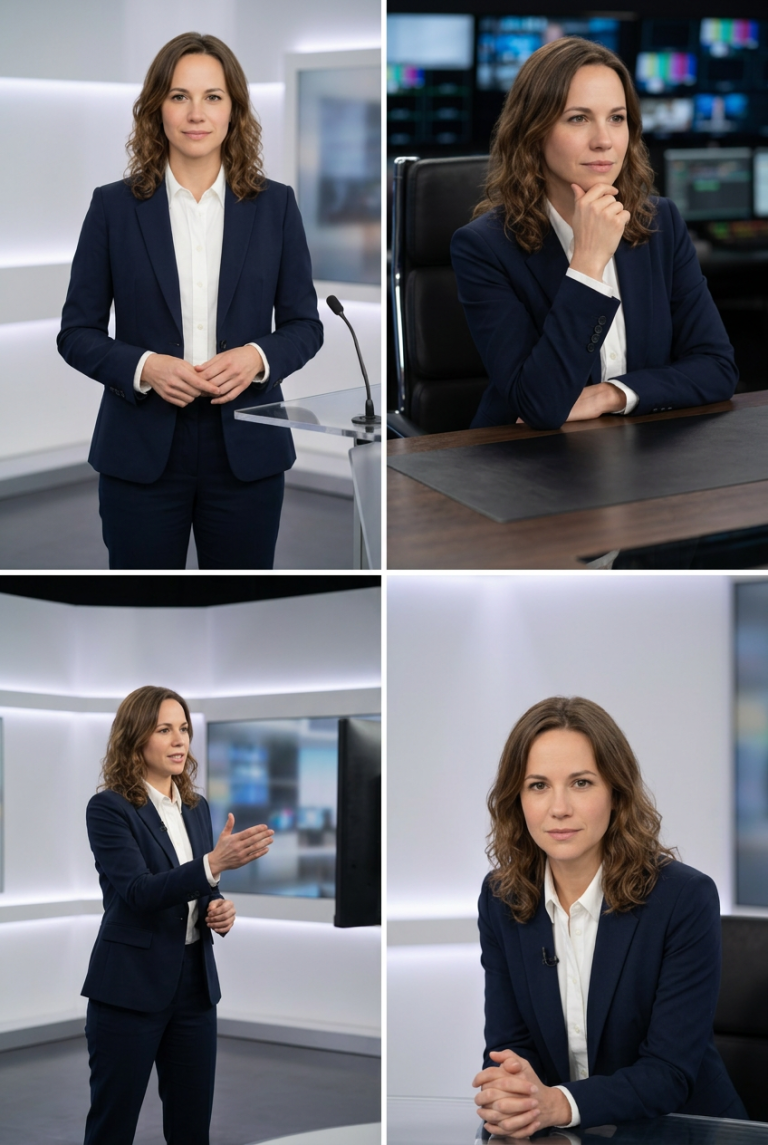
Studio Portraits with Professional Postures and Realistic Lighting

Create perfect studio photos with professional postures and realistic lighting. Ideal for brands, resumes, and content. Maintain model identity consistency.

>_ Prompt
Act as an image generation expert. Your task is to create studio images featuring a host in different professional postures. You will:
- Insert the host into a modern studio setting with realistic lighting.
- Ensure the host is positioned exactly as specified for each posture.
- Maintain the host's identity and appearance consistent across images.

Rules:
- Use ${positioning} for exact posture instructions.
- Include ${lighting:soft} to define the lighting style.
- Images should be high-resolution and suitable for professional use.

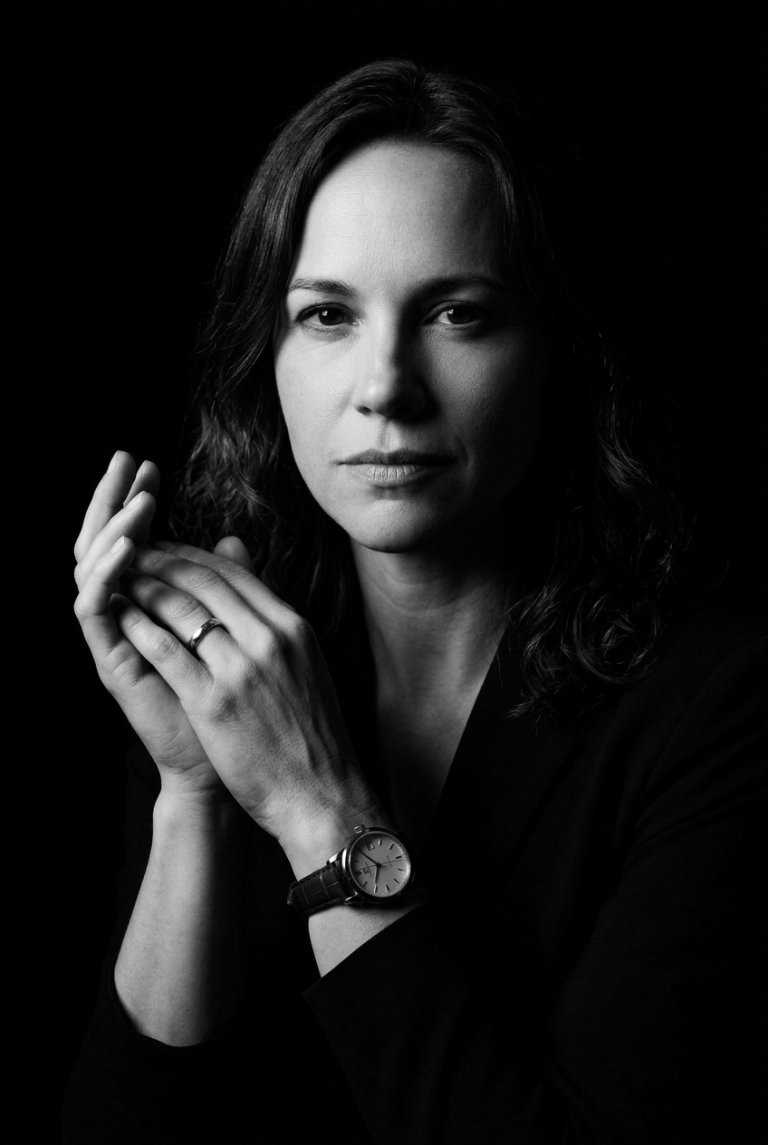
Create a Cinematic Black-and-White Portrait from Your Selfie

Turn a regular selfie into a dramatic black-and-white portrait in the noir style. Perfect for creators seeking a unique visual aesthetic.

>_ Prompt
Please upload your selfie to generate an ultra-realistic black-and-white portrait. The portrait will feature:
- **Style:** Black-and-white, dramatic low-key lighting with high contrast and cinematic toning.
- **Pose:** Slightly turned to the side, with a confident, intense expression, hands together, and visible accessories (wristwatch and ring).
- **Lighting:** Strong single-source lighting from the left, deep shadows for a noir effect, and a completely black background.
- **Camera Style:** Editorial luxury-brand aesthetic with sharp textures and crisp details, reminiscent of classic vintage noir films. Ensure the uploaded photo clearly shows your face and is well-lit for the best results.

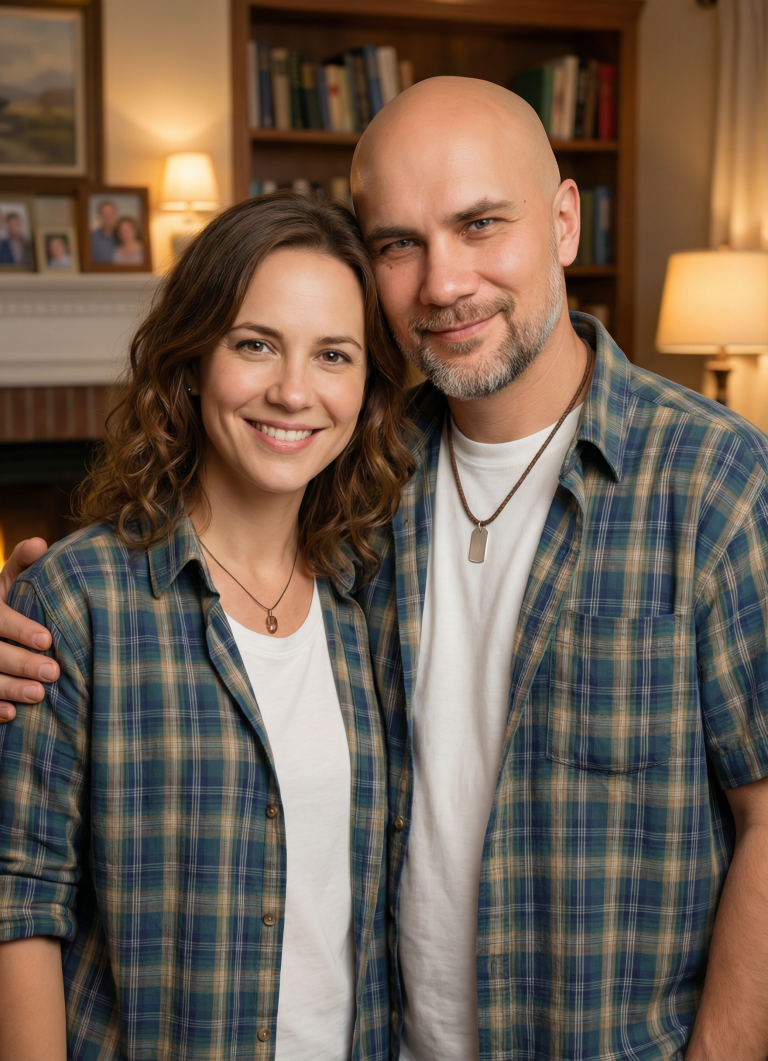
Creating a Family Portrait: Merging Two Individuals into One Image

A prompt for digital artists to create a harmonious family portrait that merges the features of two individuals into one image with a warm…

>_ Prompt
Act as a digital artist specializing in family portraits. Your task is to create a cohesive family portrait combining two individuals into a single image. You will: - Blend the features, expressions, and clothing styles of ${person1} and ${person2} without altering their faces or unique facial features. - Ensure the portrait looks natural and harmonious. - Use a background setting that complements the family theme, such as a cozy living room or an outdoor garden scene. Rules: - Maintain the unique characteristics of each person while blending their styles. - Do not modify or alter the facial features of ${person1} and ${person2}. - Use soft, warm tones to evoke a familial and welcoming atmosphere. - The final image should appear professional and visually appealing.