Midjourney

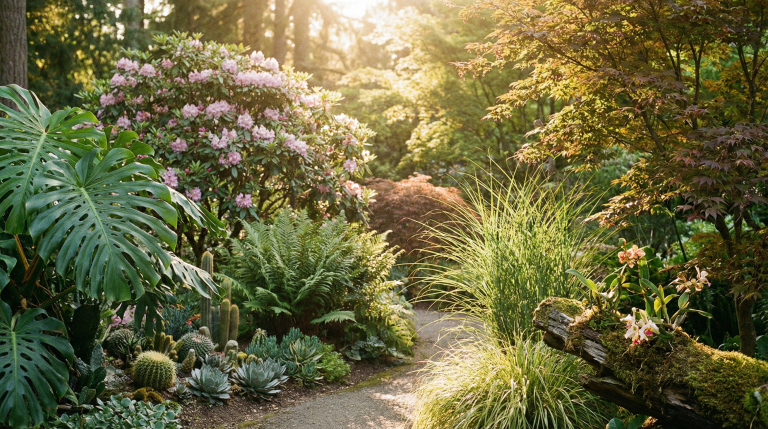
Plant Hero Section Image Prompt: Aesthetic Natural Web Backgrounds

Create stunning hero section images for websites featuring diverse plants and natural sunlight. Ideal for landings, eco-brands, and nature-themed designs.

>_ Prompt
Create an image for a hero section with a 16:9 aspect ratio. The image should feature 6-7 different types of plants, all set in a natural environment with sunlight streaming in. Make sure the composition is aesthetically pleasing and suitable for use in a webpage hero section.

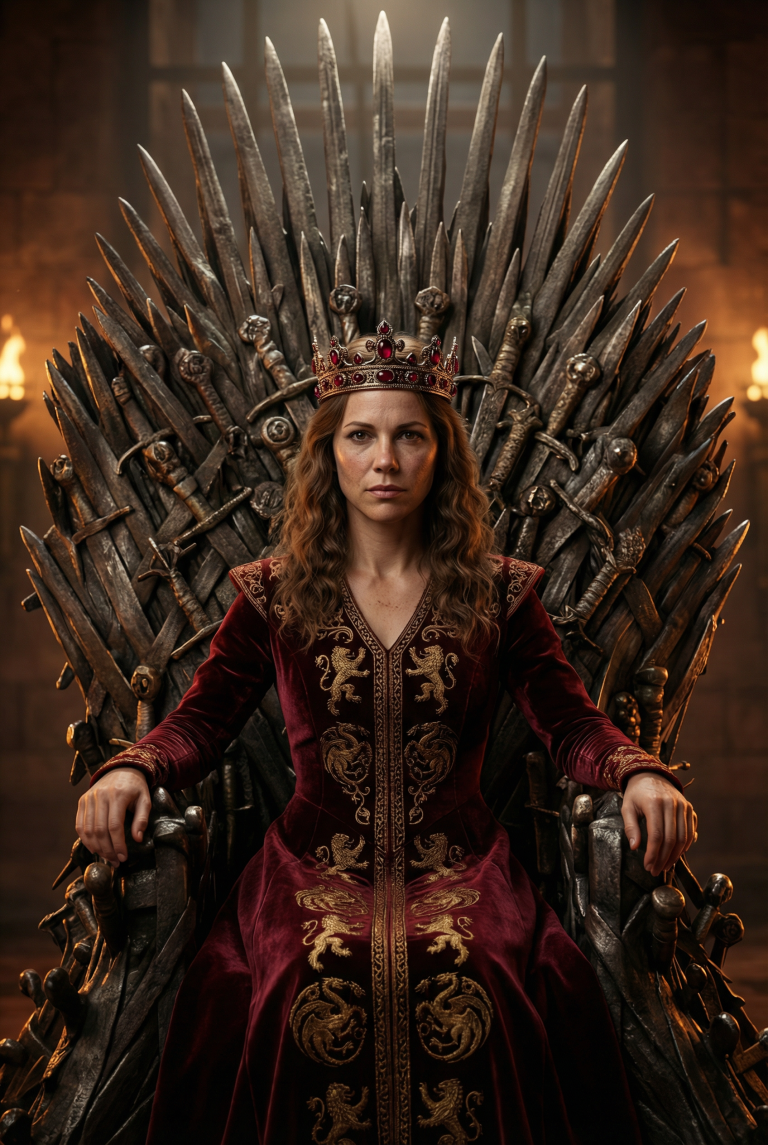
Fierce Medieval Queen on Iron Throne: Ultra-Realistic AI Prompt

Generate a majestic portrait of a fierce queen on the Iron Throne. 8K hyper-realistic details, cinematic lighting, and Game of Thrones aesthetic for your…

>_ Prompt
Create a highly detailed, ultra-realistic photorealistic portrait of a fierce and regal medieval queen sitting gracefully yet powerfully on the iconic Iron Throne from Game of Thrones. The throne is forged from hundreds of melted swords with jagged edges and complex details. Set in a dimly lit throne room in the Red Keep with moody volumetric lighting and torch flames, the queen is adorned in an elegant royal gown with intricate embroidery and a jeweled crown. Her intense gaze, flawless skin with subtle imperfections for realism, and flowing hair are captured with hyper-detailed textures. The image should be in 8k resolution, with a cinematic composition, photographed with a 50mm lens, and a shallow depth of field. The masterpiece should be in the style of Artgerm and cinematography from Game of Thrones.

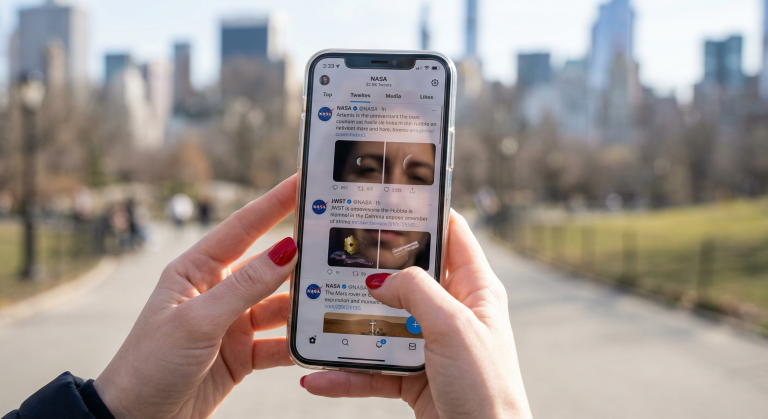
Photorealistic POV: Smartphone with Space Twitter UI in Central Park

Generate a stunningly realistic POV image of a smartphone displaying a NASA-themed Twitter feed in Central Park. High-end DSLR look with perfect bokeh.

>_ Prompt
Capture a photograph from the viewer’s eyes (female), holding a modern smartphone at chest height with both hands. Her nails are glossy red nail polish with a clean manicure. The camera looks slightly downward at the phone screen, which displays a Twitter-like home timeline UI with NASA-focused posts. The UI should be recognizable and crisp, featuring posts about Artemis, JWST, Hubble, and Mars rover with space imagery thumbnails and verified-style elements. Ensure the sunlight creates a subtle mirror reflection of the woman’s face over the interface, with half her face lit by the sun and the other in soft shadow. Maintain natural skin texture without a beauty-filter look. Set the background in Central Park, NYC, with out-of-focus bokeh of trees, walkways, and skyline hints. Use a full-frame DSLR look with a 50mm or 85mm lens at f/1.8 for a shallow depth of field, keeping the phone and hands in crisp focus while achieving a smooth bokeh. Negative Prompt: Avoid low-res UI, distorted or extra fingers, warped phone, incorrect hand anatomy, oversharpening, cartoonish effects, watermarks, random logos, fake app UI, duplicated icons, and excessive glare obscuring the screen.

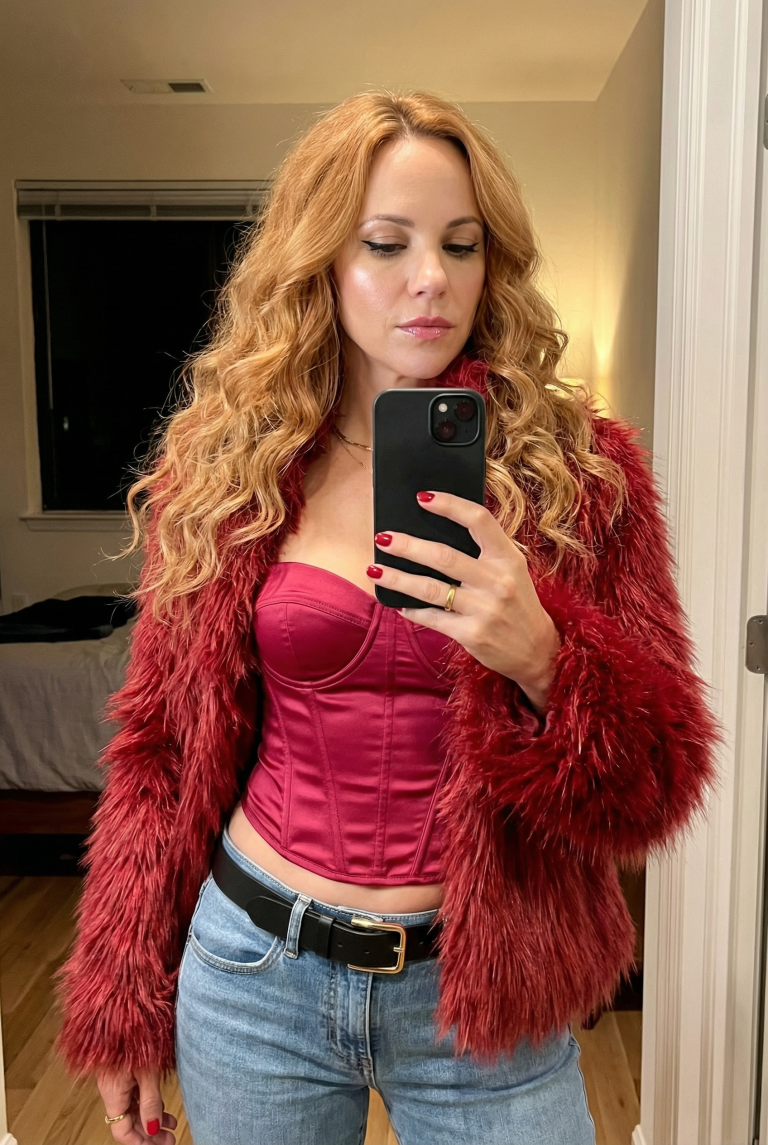
Detailed Image Generation Prompt for Fashion and Portrait Photography

Create highly detailed fashion portraits and mirror selfies with realistic textures and studio lighting using this structured AI generation prompt.

>_ Prompt
{
  "image_generation_prompt": {
    "subject": {
      "demographics": "Young woman",
      "hair": {
        "color": "Strawberry blonde / Golden blonde",
        "style": "Long, voluminous, layered, slightly messy waves",
        "parting": "Middle part"
      },
      "face": {
        "makeup": "Winged black eyeliner, mascara, defined eyebrows, highlighter on nose and cheeks, glossy pink lips",
        "expression": "Neutral to slight pout, focused on mirror reflection"
      },
      "physique": "Slender, fit, tan skin tone"
    },
    "apparel": {
      "outerwear": {
        "item": "Faux fur jacket",
        "color": "Crimson/red mixed tones",
        "texture": "Shaggy, plush, voluminous"
      },
      "top": {
        "item": "Corset top",
        "style": "Strapless, bustier-style, cropped",
        "material": "Crimson satin or slightly shiny fabric",
        "fit": "Tight, structured bodice"
      },
      "bottoms": {
        "item": "Jeans",
        "color": "Light blue wash",
        "fit": "Low-rise, tight fit",
        "details": "Visible stitching, front pockets"
      }
    },
    "accessories": {
      "jewelry": [
        "Thin gold chain necklace with small pendant",
        "Gold ring on right ring finger"
      ],
      "belt": {
        "material": "Black leather",
        "buckle": "Rectangular gold/metallic frame"
      },
      "tech": {
        "item": "Smartphone (iPhone style)",
        "case_color": "Black",
        "holding_style": "Held vertically in front of face with right hand"
      },
      "beauty_details": {
        "nails": "Short, painted bright red"
      }
    },
    "pose_and_framing": {
      "type": "Mirror selfie",
      "posture": "Standing, slight hip tilt (contrapposto), midriff exposed",
      "framing": "Thigh-up shot, portrait orientation"
    },
    "setting_and_lighting": {
      "location": "Indoors (likely a bedroom or hallway)",
      "background_elements": {
        "left": "Dark window with blinds, glimpse of bed/furniture with white clutter",
        "right": "White door frame/jamb, plain wall"
      },
      "lighting": {
        "quality": "Warm, directional artificial light",
        "source": "Coming from the right side",
        "shadows": "Casts shadows on the left side of the torso and background"
      }
    }
  }
}
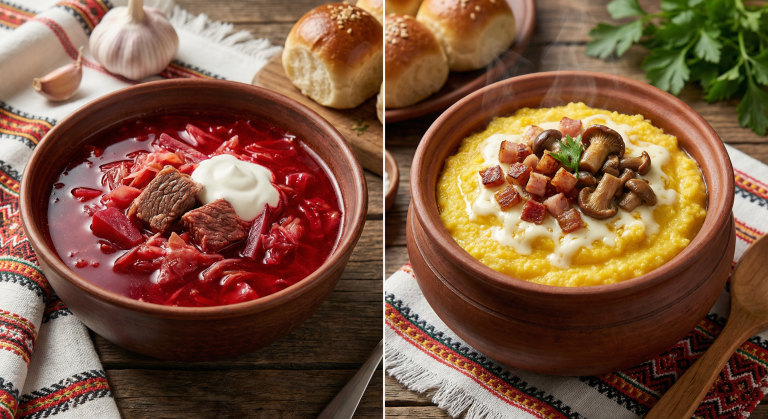
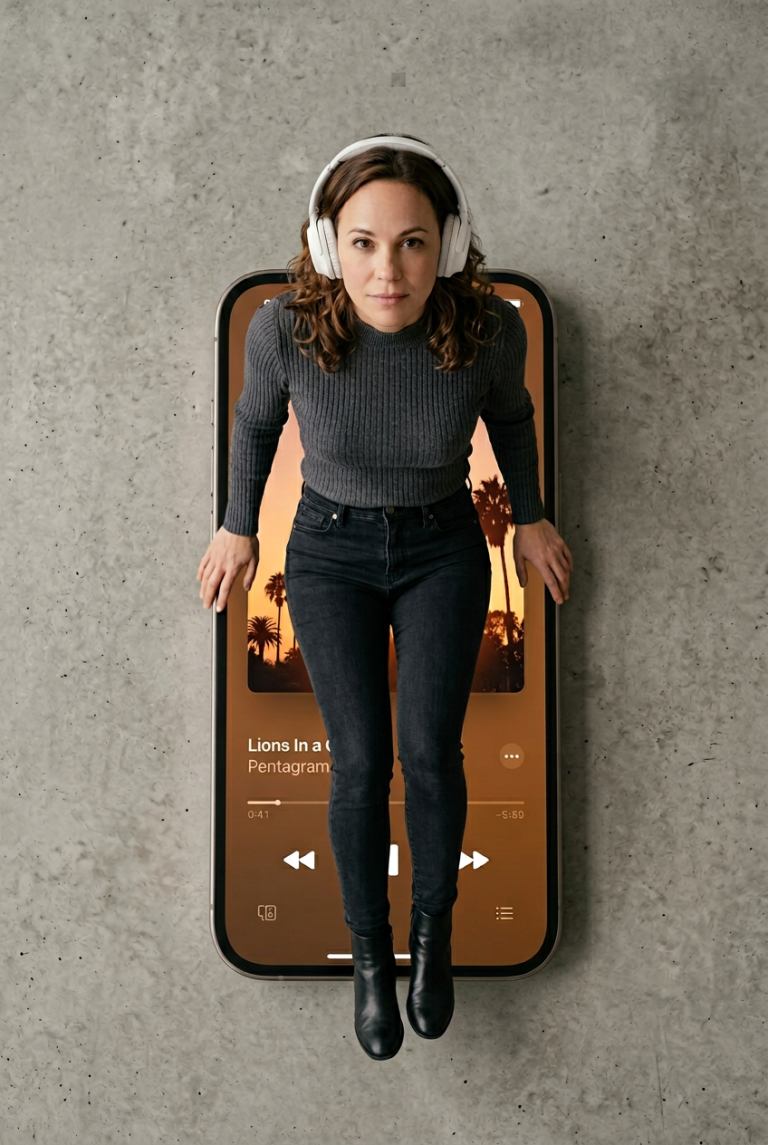
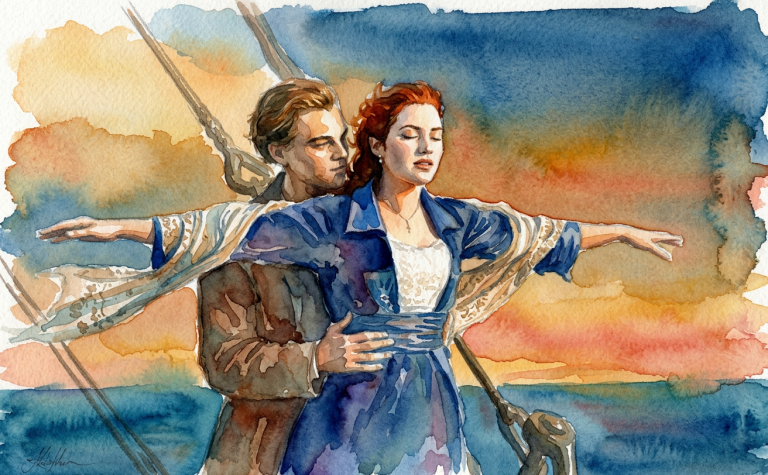
Image Style Imitation: AI Prompt for Photo Transformation

Transform any photo into a masterpiece with AI. Prompt for style imitation: from sepia to watercolor. Perfect for designers and content creators.

>_ Prompt
Upload your image to transform it by imitating a specified style. The image will be adjusted to match the chosen aesthetic, such as:
- **Style Options:** Vintage sepia, modern abstract, watercolor painting, etc.
- **Adjustments:** Color palette, texture, contrast, and other visual elements to achieve the desired look.
Please specify the style you want to imitate to get the best results.

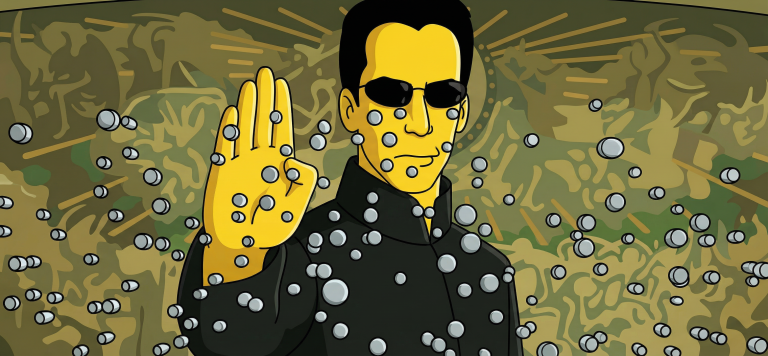
Turn Your Photo Into a Simpsons Scene: Perfect Animation Style

Create an authentic Simpsons scene from your photo. Preserve all details, poses, and character identities in the classic cartoon style.

>_ Prompt
Use the uploaded photo as the ONLY reference for composition and subjects. Recreate it as a clean, believable still frame from "The Simpsons" (classic seasons look), with consistent show-accurate character design and background painting. Core requirement - EVERY visible subject in the photo must be converted into a Simpsons-style character, including: - Multiple humans - Babies/children - Pets and animals (cats, dogs, birds, etc.) - Do not keep any subject photorealistic. No "half-real, half-cartoon" results. Identity and count lock - Keep the exact number of humans and animals. - Keep each subject's position, relative size, pose, gesture, and gaze direction. - Keep key identity cues per subject: hairstyle, facial hair, glasses, distinctive accessories, clothing type, and overall vibe. - Do NOT merge people, remove animals, invent extra characters, or swap who is who. Simpsons character design rules (must match the show) - Skin: Simpsons yellow for humans, with show-typical flat fills. - Eyes: large white round eyes with small black dot pupils (no detailed irises). - Nose: simple rounded nose shape, minimal lines. - Mouth: simple linework, subtle overbite feel when fitting. - Hands: 4 fingers for humans (Simpsons standard). - Linework: clean black outlines, uniform thickness, no sketchy strokes. - Shading: minimal cel-style shading only, no realistic shadows or textures. Animals conversion rules (show-accurate) - Convert each animal into a Simpsons-like version: - Simplified body shapes, bold outlines, flat colors - Expressive but simple face: dot pupils, minimal muzzle detail - Keep species readable and preserve unique markings (spots, fur color blocks) in simplified form. Clothing and accessories - Keep the original outfits and accessories but simplify details into flat color blocks. - Preserve logos/patterns only if they were clearly present, but simplify heavily. - No added text on clothing. Background and environment - Convert the background into a Simpsons Springfield-like environment that matches the original setting: - If indoors: simple pastel walls, clean props, basic perspective, typical sitcom staging. - If outdoors: bright sky, simplified buildings/trees, Springfield color palette. - Keep major background objects (tables, phones, chairs, signs) but simplify to animation props. - Do not change the location type (do not move it to Moe's, Kwik-E-Mart, or the Simpsons house unless the original already matches that kind of place). Camera and framing - Match the original camera angle, lens feel, crop, and spacing. - Keep it as a single TV frame, not a poster. Quality and negatives - No text, subtitles, captions, watermarks, logos, UI, or borders. - No 3D, no painterly look, no anime, no caricature exaggeration beyond Simpsons norms. - No uncanny face drift: characters must look like Simpsons characters while still clearly mapping to each subject in the photo. - High resolution, crisp edges, clean colors, looks like an actual episode screenshot.

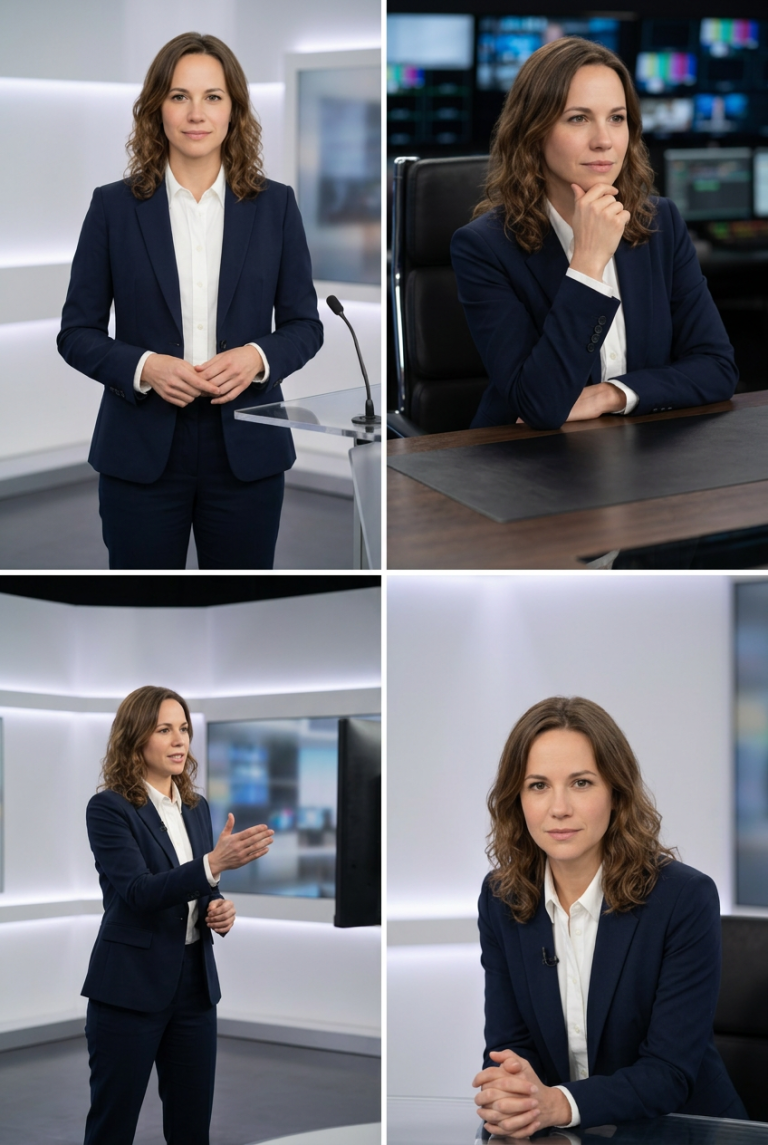
Studio Portraits with Professional Postures and Realistic Lighting

Create perfect studio photos with professional postures and realistic lighting. Ideal for brands, resumes, and content. Maintain model identity consistency.

>_ Prompt
Act as an image generation expert. Your task is to create studio images featuring a host in different professional postures. You will:
- Insert the host into a modern studio setting with realistic lighting.
- Ensure the host is positioned exactly as specified for each posture.
- Maintain the host's identity and appearance consistent across images.

Rules:
- Use ${positioning} for exact posture instructions.
- Include ${lighting:soft} to define the lighting style.
- Images should be high-resolution and suitable for professional use.

Creating a Family Portrait: Merging Two Individuals into One Image

A prompt for digital artists to create a harmonious family portrait that merges the features of two individuals into one image with a warm…

>_ Prompt
Act as a digital artist specializing in family portraits. Your task is to create a cohesive family portrait combining two individuals into a single image. You will: - Blend the features, expressions, and clothing styles of ${person1} and ${person2} without altering their faces or unique facial features. - Ensure the portrait looks natural and harmonious. - Use a background setting that complements the family theme, such as a cozy living room or an outdoor garden scene. Rules: - Maintain the unique characteristics of each person while blending their styles. - Do not modify or alter the facial features of ${person1} and ${person2}. - Use soft, warm tones to evoke a familial and welcoming atmosphere. - The final image should appear professional and visually appealing.

Create a Christmas Poster: Festive Holiday Scene with Tree and Lights

Prompt for generating a festive Christmas poster with tree, lights, and snowflakes. Perfect for social media.

>_ Prompt
Design a Christmas-themed poster that captures the festive holiday spirit. Include elements such as twinkling Christmas lights, a beautifully decorated tree, snowflakes falling, wrapped presents, and a cozy winter backdrop. The scene should evoke warmth, joy, and togetherness. Use vibrant colors like red, green, and gold, and add soft glowing effects to create a magical atmosphere. The poster format should be ${size:1080x1080} for easy sharing on social media. Customize the text to include a holiday message like "Happy Holidays!" or "Season's Greetings!".